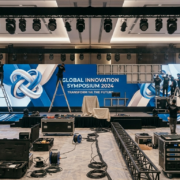
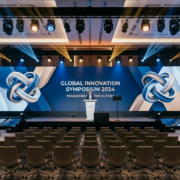
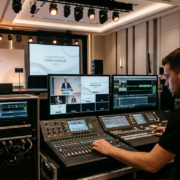
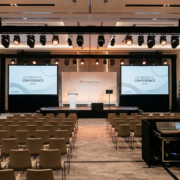
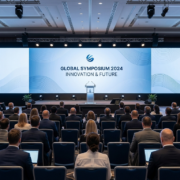
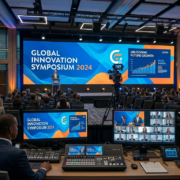
Why LED Displays Are Replacing Projection Screens at Corporate Events

For decades, projection screens were the standard display technology for conferences and corporate presentations. Today, LED displays are increasingly replacing projection systems across many event environments.


LED technology offers significant advantages in brightness, flexibility, and visual impact.


Brightness and Ambient Light


Projection systems struggle in bright environments. LED displays produce their own light and remain visible even in well-lit ballrooms or exhibit halls.


Flexible Display Sizes


LED panels can be assembled into virtually any size or shape.


Common configurations include:


  • stage backdrops
  • large presentation screens
  • curved displays
  • immersive environments


For planners exploring LED display solutions for events

Improved Visual Clarity


LED displays provide:


  • higher contrast ratios
  • sharper visuals
  • better color accuracy


These qualities improve presentation clarity for large audiences.


Reduced Setup Constraints


Projection setups require:


  • long throw distances
  • controlled lighting
  • large projection surfaces


LED systems eliminate many of these limitations.


Conversion CTA


If you’re evaluating display technology for your next conference or corporate event, explore AV services available nationwide:


How Hybrid Events Are Changing AV Production Requirements

Hybrid events combine in-person audiences with virtual attendees. While this format expands reach, it also introduces new production requirements that traditional conferences never had to address.


Successful hybrid events require AV systems designed for both physical attendees and remote viewers.


The Dual Audience Challenge


Hybrid events must satisfy two different viewing environments:


  • attendees sitting in the room
  • viewers watching through livestream


Both audiences need clear audio, professional visuals, and seamless presentation transitions.


Additional Technology Required for Hybrid Events


Hybrid production typically includes:


  • streaming encoders
  • camera systems
  • live switching equipment
  • dedicated audio mixes for broadcast


For planners researching professional conference AV systems 


Camera Placement Considerations


Camera angles must capture:


  • presenters
  • presentation screens • audience interaction


Poor camera placement can make even a well-produced event look unprofessional online.


Audio Considerations for Hybrid Events


Audio must be mixed differently for:


  • in-room sound reinforcement
  • livestream audio clarity


Dedicated broadcast audio mixes significantly improve remote viewer experience.


Conversion CTA


If your upcoming conference includes remote attendees, explore professional AV support available nationwide:


How Event Planners Use Digital Displays to Improve Conference Navigation

Large conferences often take place across multiple ballrooms, meeting rooms, and exhibit halls. Without clear navigation systems, attendees can become frustrated, miss sessions, or struggle to locate meeting areas.


Digital wayfinding displays have become a powerful tool for improving event navigation and attendee experience.


The Challenges of Navigating Large Events


Conference venues often include:


  • multiple floors
  • simultaneous breakout sessions
  • changing schedules
  • large exhibit halls


Printed signage alone rarely keeps up with the pace of modern events.


How Digital Wayfinding Displays Help


Digital displays provide real-time updates and visual clarity for attendees.


Typical wayfinding displays show:


  • session schedules
  • room assignments
  • directional maps
  • sponsor highlights


For event planners researching interactive display technology for events


Strategic Placement of Navigation Displays


Effective display placement includes:


  • registration areas
  • hallway intersections
  • outside breakout rooms
  • near elevators and escalators


Positioning screens in high-traffic areas improves attendee flow.

Benefits for Event Organizers


Digital wayfinding systems provide advantages such as:


  • easier schedule updates
  • improved attendee satisfaction
  • increased sponsor visibility
  • reduced staff questions

Conversion CTA


If you’re planning a large conference and want to improve attendee navigation, explore AV services available in major event markets:


What Event Planners Should Know About LED Pixel Pitch Before Choosing a Display

LED displays have become a centerpiece of modern conferences, trade shows, and corporate events. But many event planners encounter one technical term that can feel confusing: pixel pitch.


Pixel pitch directly affects the clarity of an LED display and determines how close viewers can stand to the screen without seeing individual pixels. Choosing the wrong pixel pitch can result in wasted budget or poor visual quality.


Understanding how pixel pitch works allows event planners to choose the right LED display configuration for their venue, audience distance, and presentation content.


What Pixel Pitch Actually Means


Pixel pitch refers to the distance between individual LED pixels on a display panel. It is typically measured in millimeters.


Smaller numbers indicate higher resolution.


For example:


1.5mm pixel pitch → extremely high resolution

2.6mm pixel pitch → common conference display resolution

3.9mm pixel pitch → typical trade show display resolution


The smaller the pixel pitch, the closer viewers can stand to the screen while maintaining image clarity.


Why Pixel Pitch Matters at Conferences


Conference environments often involve closer viewing distances compared to outdoor events.


When attendees sit close to the stage, higher resolution displays provide:


  • sharper text
  • clearer charts
  • better presentation visuals
  • improved audience engagement


For planners researching professional LED display configurations for conferences

How Viewing Distance Determines Resolution


A general rule used in event production:


Minimum viewing distance (in feet) ≈ pixel pitch × 3


Example:


2.6mm display → ideal viewing distance around 8 feet

3.9mm display → ideal viewing distance around 12 feet


If attendees sit closer than this distance, higher resolution displays become necessary.

Content Considerations for LED Displays


Pixel pitch selection should also consider the type of content being displayed.


Content that benefits from higher resolution includes:


  • detailed charts
  • small text presentations
  • product images
  • high-resolution video


Simpler visuals such as logos and large graphics can work well on slightly larger pixel pitches.


Budget vs Performance Balance


Higher resolution LED displays cost more because they contain more LEDs per square meter.


Event planners should balance:


  • viewing distance
  • content complexity
  • room size
  • overall production budget


Choosing the correct pixel pitch prevents overspending while maintaining professional presentation quality.

Conversion CTA


If you’re planning an event and want help choosing the right LED display configuration for your venue and audience size, explore professional AV support available nationwide:


How Touchscreen Displays Improve Attendee Engagement at Events

Modern event attendees expect interactive experiences rather than passive presentations. Touchscreen displays provide a simple but powerful way to increase engagement, allowing participants to explore content, navigate information, and interact directly with digital materials.


From conference directories to product demonstrations, touchscreen kiosks help transform traditional events into interactive environments.


Why Interactive Technology Matters at Events


Attendees retain more information when they interact with content rather than simply viewing it.


Touchscreens encourage:


exploration self-guided learning product discovery lead capture


For event planners researching interactive display solutions 

Common Uses for Touchscreen Displays


Digital Event Directories


Touchscreens help attendees locate sessions, meeting rooms, and exhibitors.


Product Demonstrations


Companies use touchscreens to display product catalogs, videos, and case studies.


Lead Generation


Interactive kiosks allow visitors to submit contact information or register for demos.


Designing Effective Touchscreen Content


Successful touchscreen interfaces should be:


simple to navigate visually clear responsive

optimized for large touch targets


Overly complex menus reduce engagement.


Conversion CTA


If you want to add interactive technology to your next event, explore touchscreen rental solutions available in major event markets:


Conference AV Planning Checklist for Event Planners

Planning the audio-visual setup for a conference involves far more than choosing a screen and microphone. Displays, lighting, audio clarity, power distribution, and technical coordination all play a role in how attendees experience the event.


Without a clear AV planning process, small oversights can quickly become major disruptions during live sessions. Event planners who follow a structured AV checklist reduce risk and ensure their conference runs smoothly from the first presentation to the final closing remarks.


Step 1: Define the Primary Event Format


The structure of your conference determines the AV requirements.


Common formats include:


general session presentations panel discussions hybrid streaming sessions product demonstrations


Each format requires slightly different equipment and technical support.


For conference AV systems and equipment planning 


Step 2: Determine Display Requirements


Display planning should consider:


room size

audience seating distance lighting conditions presentation content


Large conference rooms often require high-brightness displays or LED walls to maintain clarity.


Step 3: Plan Audio Coverage


Clear audio is critical for audience engagement.


Most conferences require:


wireless handheld microphones podium microphones speaker reinforcement

audio mixing for multiple presenters


Poor audio quality can undermine even the best presentations.


Step 4: Consider Lighting Design


Lighting helps maintain visibility and presentation quality.


Professional lighting setups help:


separate presenters from backgrounds maintain camera clarity for hybrid events prevent shadow interference


Step 5: Confirm Power Requirements


Power planning is often overlooked but essential.


Common power needs include:


LED displays audio systems presentation laptops lighting fixtures


Ordering enough electrical service early avoids last-minute venue fees.


Conversion CTA


If you’re organizing a corporate conference and want expert support planning your AV setup, explore AV services available nationwide:


How Corporate Event Planners Use LED Video Walls to Increase Audience Engagement

Corporate events have evolved from simple presentations into fully produced experiences. Attendees expect visual clarity, dynamic content, and environments that feel modern and engaging. One of the most impactful tools event planners use to accomplish this is the LED video wall.


Unlike traditional projection screens, LED displays provide brighter visuals, seamless images, and flexible configurations that can transform the atmosphere of a conference room or ballroom. When planned correctly, LED walls help guide attention, reinforce brand messaging, and improve audience retention throughout an event.


This guide explains how corporate event planners are strategically using LED video walls to improve engagement and deliver more memorable conference experiences.


Why LED Video Walls Work So Well for Conferences


LED video walls offer several advantages over traditional displays.


Brightness and Visibility


Conference environments often include strong ambient lighting. LED displays maintain clarity and contrast even in brightly lit spaces.

Seamless Large-Format Displays


Unlike projection or multiple monitors, LED panels create one continuous visual surface. This makes branding and content feel cohesive and professional.

Flexible Sizing


LED walls can be configured for:


small breakout sessions large general sessions stage backdrops digital scenic environments


For planners researching professional display solutions for conferences 


Common LED Applications at Corporate Events


Conference Stage Backdrops


LED walls are frequently used as dynamic backdrops behind speakers.

They allow event teams to change visuals instantly between sessions.

Presentation Displays


Instead of projection screens, LED displays provide crisp presentation visuals even in large rooms.

Branded Environments


Companies often use LED walls to display animated logos, product visuals, or environmental graphics that reinforce brand identity.

Content Strategies That Increase Engagement


Successful LED wall content should be designed for distance and clarity.


Best practices include:


large typography high contrast colors

motion graphics that are subtle rather than distracting short looping content segments


Avoid overly complex visuals that compete with the presenter.

Planning LED Displays for Different Event Types


General Sessions

Large displays ensure everyone in the room can see content clearly.

Breakout Rooms

Smaller LED displays can replace projection screens while maintaining brightness.

Brand Activations


Custom LED environments create memorable experiences and encourage social media engagement.

Conversion CTA


If you’re planning a conference and want to explore professional LED display options for your event, explore available services by location:


https://www.avrexpos.com/locations/

Designing Immersive Brand Experiences With LED Tunnels and Digital Entrances

Event entrances set the tone before a single word is spoken. LED tunnels and immersive digital walk-through environments are increasingly used to create high-impact brand introductions.


These installations generate:

  • Social media sharing
  • Increased dwell time
  • Memorable first impressions

Why Entrance Experiences Matter

The first 30 seconds of attendee exposure influence perception.

Immersive entrances:

  • Establish authority
  • Increase photo engagement
  • Differentiate from competitors


For scalable LED video wall systems and configurations 

Structural and Engineering Considerations


LED tunnels require:

  • Seamless corner connections
  • Structural framing
  • Power distribution planning
  • Signal routing


Content Strategy for Immersive Environments


Effective tunnel content:

  • Uses motion depth
  • Avoids high-frequency flicker
  • Maintains consistent brightness

Budget Scaling Options


Not every tunnel requires full ceiling coverage. Modular builds allow:

  • Partial enclosures
  • Single-wall immersive entrances
  • Reusable tile layouts

Conversion CTA


If you’re planning a high-impact brand activation, explore immersive AV support by location 

Event Technology Planning Timeline: When to Lock in AV Vendors

One of the most common production risks is delaying AV vendor selection. As event seasons tighten and union labor demand increases, availability and pricing fluctuate significantly.


Understanding when to secure AV services protects both budget and production quality.

6–9 Months Out: General Sessions and Multi-Room Events


Large conferences and multi-room events should secure AV vendors early due to:

  • Equipment allocation
  • Labor forecasting
  • Engineering approvals
  • Power planning coordination


Explore conference AV infrastructure options 

3–6 Months Out: Mid-Size Corporate Events


Mid-scale events still benefit from early booking to:

  • Lock pricing
  • Finalize LED configurations
  • Reserve technicians

Under 60 Days: What Changes


Late bookings often result in:

  • Cross-rentals
  • Premium labor rates
  • Limited configuration flexibility


For available event AV equipment configurations 

Power and Venue Coordination Deadlines


Venues frequently require electrical orders weeks before show opening. AV planning must align with these cutoffs.


Conversion CTA


If your event calendar is set, secure your production timeline early.

Explore nationwide AV support by location https://www.avrexpos.com/locations/

Conference Stage Design Trends That Increase Audience Engagement

Conference attendees expect more than a podium and projection screen. Stage design now plays a measurable role in engagement, perception, and content retention. Companies investing in thoughtful stage environments see stronger audience interaction and better brand recall.


This guide explores stage design strategies that elevate production without unnecessary cost escalation.

Why Stage Design Impacts Perception


Visual framing influences how authority and credibility are perceived. A well-designed stage:  •       Directs attention naturally

  • Reinforces brand tone
  • Enhances camera framing
  • Reduces visual clutter


For planners evaluating professional conference AV production support

https://www.avrexpos.com/audio-visual-rentals/

LED Backdrops vs Layered Scenic Design


LED backdrops allow:

  • Flexible branding
  • Quick content transitions
  • Camera-friendly visuals


Layered scenic elements provide:

  • Depth
  • Texture
  • Controlled lighting interplay


Strategic combinations often produce the strongest result.


Learn more about scalable event display systems


Lighting as Architecture


Lighting defines dimension. Effective stage lighting:

  • Separates speaker from background
  • Prevents shadow distortion
  • Maintains consistency across sessions


Designing for In-Person and Broadcast Simultaneously


Modern conferences often include streaming or recording. Stage design must:

  • Avoid reflective surfaces
  • Prevent moiré effects
  • Support balanced exposure


Conversion CTA


If you’re planning a conference and want a stage design strategy that supports engagement and production clarity, explore event AV support by location 


Inquiry Cart0
There are no products in the cart!
0
Get A Quote
Call Us
Get a Quote