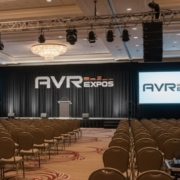
Behind the Scenes: How Professional AV Setup Transforms Conferences

The majority of the participants do not even consider the efforts put into holding a conference successfully. The clear sound, the smooth changes, the stage being perfectly illuminated, all this is a result of the meticulous arrangement and the work of the professionals. This is what is actually going on behind the scenes when you are running an event by a seasoned AV team such as AVR Expos.

Pre-Production Planning

Site visits and schematics

We look at room dimensions, ceiling height, and rigging points in order to achieve appropriate line-of-sight and acoustic coverage.

Gear selection

From LED video walls to digital mixers, we select equipment that matches your room scale and technical needs.


Load-In and Setup


Logistics and timing

We coordinate load-in times with venues, respecting union rules and hotel logistics.

Testing and calibration

Every projector, mic, and display is tested before doors open—no surprises once the show starts.

During the Conference

Cue-to-cue control

Our engineers run detailed cue sheets so every mic, slide, and video plays perfectly.

Real-time adjustments

Live EQ, video switching, and lighting adjustments keep the event running smoothly.

Post-Event Teardown and Review

Fast, damage-free teardown

We break down quickly and safely, returning the space as we found it.

Post-show reporting

Our crews log issues, improvements, and recommendations for future events.

FAQs

Q1: How early should I book AV services?

A1: Ideally 3–4 weeks before your event to secure full inventory and support staff.

Q2: Can you work with in-house AV?

A2: Yes. We frequently collaborate with hotel and convention AV teams.

Q3: Do you provide on-site techs?

A3: Yes, every major event includes trained AV specialists for setup and live operation.
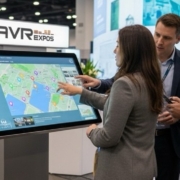
Interactive Touchscreen Displays: The Future of Event Engagement

In a world full of distractions, interactivity wins. Touchscreens transform passive attendees into active participants. Whether you’re running a digital catalog, a product demo, or an interactive map, touchscreen displays turn your booth into an experience—not just an exhibit.

Why Touchscreens Work

Engagement through control

When attendees touch, tap, and explore, they engage longer. That leads to better retention and stronger brand recall.

Data capture and analytics

Custom interfaces let you collect leads and track engagement metrics. Every tap tells you what your audience cares about most.

Touchscreen Options for Events


Freestanding kiosks

Perfect for product menus, surveys, and interactive demos. Available in 43” and 55” models.

Wall-mounted and tabletop

Wall mounts save space, while tables encourage collaboration. Both can run offline for reliability.

Multi-touch capability

Our touchscreens support up to 10-point touch with low latency for smooth performance.

Connectivity and Content Management

Plug-and-play setup

All rentals include HDMI, USB-C, and power cabling. Just connect your laptop or media player—no drivers needed.

Preloaded content

We preload your files and test functionality before delivery.

Offline reliability

Wi-Fi optional. All kiosks can run self-contained apps locally.


FAQs

Q1: Can you preload our app?

A1: Yes. We preload and test your app or content before delivery.

Q2: Are they compatible with Macs and PCs?

A2: Yes, they connect easily via HDMI or USB-C.

Q3: Do I need Wi-Fi?

A3: Not necessarily. All systems can operate offline.

The Complete Guide to Audio Systems for Corporate Events

Communication within any destination is reliant on audio. It is the unseen rope between the presenters and the audiences. Whether you are setting up a break out session or a general session to accommodate 500 guests, the distinctiveness and harmony of your sound determine how your event will be experienced.

Here’s how to build a system that sounds professional and performs reliably, every time.

Start with the Room and Audience Size

Small rooms (under 100 people)

Use two powered speakers, a small mixer, and wireless handheld or lavalier mics for maximum flexibility.

Medium rooms (100–400 people)

Deploy distributed 12–15” speakers or compact line arrays. This prevents audio “hot spots” and uneven coverage.

Large sessions or ballrooms

Add subwoofers for low-end warmth and delay fills for rear coverage. AVR Expos engineers design systems that keep speech intelligible in large rooms.

Choosing Microphones

Wireless vs. wired

Wireless offers freedom and speed; wired is fail-proof. We stock Shure and Sennheiser systems with proper frequency coordination to avoid interference.

Lavalier, handheld, or headset

Lavs are great for presenters, handhelds for audience Q&A, and headsets for speakers who move dynamically.

Mixers and Signal Flow


 Digital mixers

QSC TouchMix and Allen & Heath QU series mixers allow pre-saved EQ curves and fast recall. They’re compact, reliable, and optimized for corporate AV setups.

Playback and integration

We route laptops, video playback devices, and phones through DI boxes for clean, balanced signal flow into the system.

Redundancy and Power Management

Fail-safe design

We use labeled signal paths, redundant wireless receivers, and UPS backup systems to ensure stability.

On-site support

Every major event includes a dedicated AVR Expos technician to monitor audio quality throughout.

Internal Links

• Audio Equipment Rentals
• Wireless Microphone Rentals
AVR Expos Locations


FAQs

Q1: What size PA do I need?

A1: It depends on your audience size, ceiling height, and room acoustics. We’ll spec the exact coverage you need.

Q2: Can you record the event?

A2: Yes, we can record the main mix or provide press feeds for media coverage.

Q3: Do you include an audio engineer?

A3: Yes, most rentals include an engineer for setup, soundcheck, and live operation.

How to Choose the Right LED Video Wall for Your Trade Show Booth

There is no just screen in your booth, but an LED video wall that would be the center of your brand. It makes attention grabbing, engagement inducing and it makes your images look bigger than they would otherwise. However, a correct one cannot be selected only by relying on the guesses of size and resolution. You will even have to consider pixel pitch, layout, brightness and even the logistics of mounting your display so that it appears sharp at all angles.

Here’s how to make a confident, technically sound choice for your next trade show.

Start with Viewing Distance and Pixel Pitch

Understanding pixel pitch

Pixel pitch measures the distance between LED clusters. The smaller the pitch, the sharper the image at close range. For most trade show booths:
• 1.5mm–1.9mm is ideal for high-detail, close-up visuals.
• 2.6mm is the sweet spot for typical 10×20 or 20×20 booths.
• 3.9mm+ is best for large-scale or outdoor displays.


Avoiding the “overkill” mistake

Many exhibitors assume smaller pitch equals better quality—but it’s not always necessary. For most audiences standing 6–15 feet away, a 2.6mm wall offers crisp resolution without overpaying for ultra-fine tiles.

How AVR Expos tailors recommendations

Our team analyses the size of booths, sightlines, and lighting conditions and recommends a set-up. We align technology with the real world requirements whether you are using INFiLED 2.6mm tiles to create an indoor booth or are using Unilumin 3.9mm to create an outdoor activation.

Mounting and Structural Considerations

Ground-supported vs. flown

Ground-supported walls save time and avoid rigging fees, while flown setups create eye-level visibility for large booths. AVR Expos designs both, ensuring compliance with venue regulations and weight limits.

Integration with exhibit structure

We coordinate directly with your exhibit fabricator to guarantee clean lines, balanced weight, and concealed cable paths. It’s what keeps your LED wall looking built-in, not bolted-on.

Processors and Playback Equipment

Why processors matter

We use Novastar processors (VX6s, VX1000, VX2000) for smooth scaling and redundancy. They handle multi-input content and ensure no single point of failure.

Playback and content switching

From PowerPoint decks to looping videos, AVR Expos pairs processors with ATEM Mini switchers, playback laptops, and fail-safe routing so transitions stay seamless on show day.

Optimizing for Ambient Lighting

Brightness calibration

Trade show lighting can easily wash out low-brightness walls. We calibrate brightness from 800 to 1,200 nits for indoor environments and up to 4,000 for outdoor setups.

Color uniformity

All walls are color-balanced using factory-calibrated profiles to ensure consistent tone across every tile.

Internal Links

• LED Video Wall Rentals
• AV Rental Products
AVR Expos Locations


FAQs

Q1: How do I determine the right pixel pitch?

A1: Measure your average viewing distance in feet and divide by 10. For example, 20 feet = 2.0mm pitch.

Q2: Can AVR Expos handle delivery and setup?

A2: Yes. We manage delivery, assembly, calibration, and teardown nationwide.

Q3: How long does setup take?
A3: A 16×9 LED wall usually installs in about 4 hours, depending on site logistics.

Houston LED Screen Rentals for High-Impact Presentations

Houston’s event scene demands visual precision. Whether you’re hosting a product reveal, investor meeting, or expo booth activation, AVR Expos provides LED screen rentals that transform presentations into immersive experiences. Our Houston team delivers, installs, and supports video walls across major venues.

LED Display Options for Every Venue

  • 1.5mm–1.9mm for close viewing

  • 2.6mm for mid-range audiences

  • Outdoor-rated panels for festivals and expos

 Setup and Structural Options

  • Ground-supported or flown configurations

  • Seamless calibration for vivid visuals

  • Quick setup and teardown for tight windows


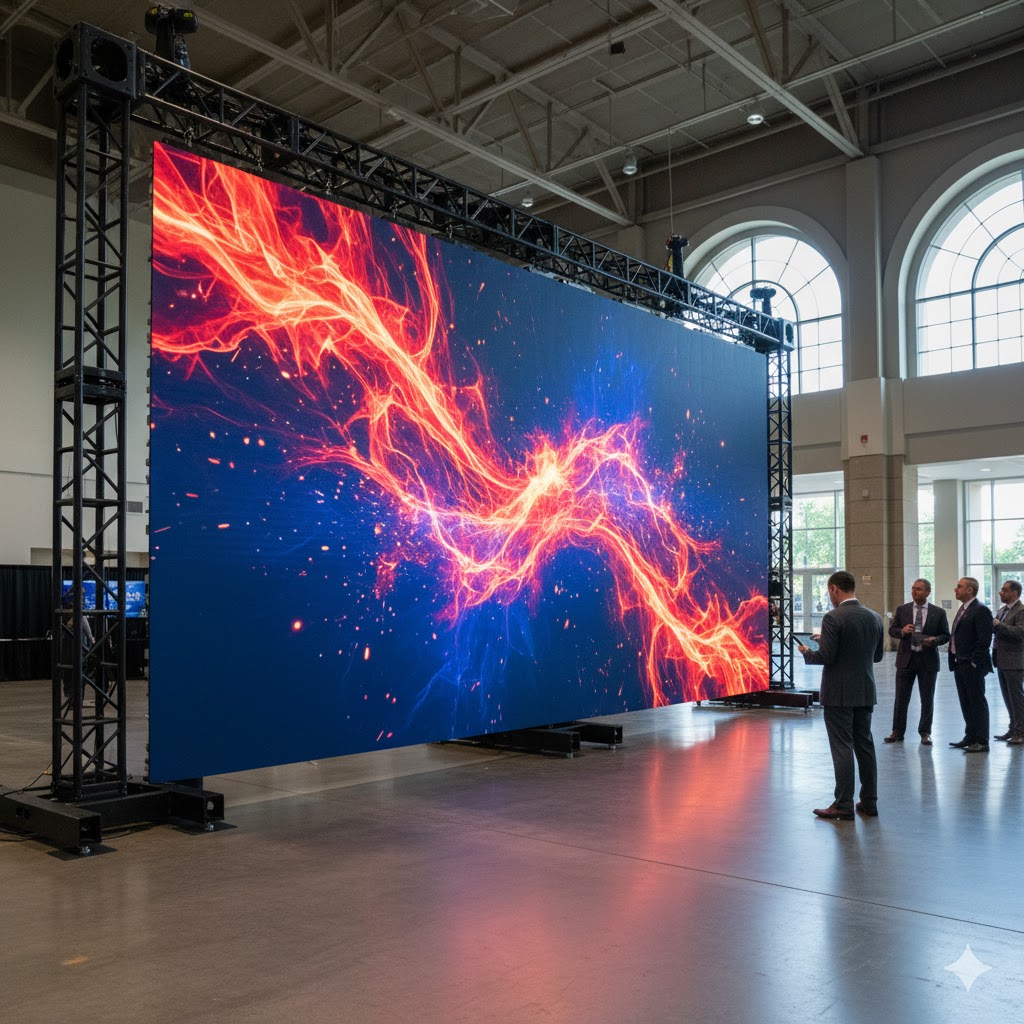
A massive, bright, high-resolution 1.9mm to 2.6mm pixel pitch LED video wall displaying a vivid presentation graphic, set up on the floor of the George R. Brown Convention Center.

Processors and Content Playback

  • Novastar processors with multi-input scaling

  • Live feed integration and show control

  • Redundant playback systems for mission-critical events


FAQ:


Q: Can you support live video feeds?

A: Yes, our processors handle HDMI, SDI, and multiple input formats.

Q: Do you deliver to the George R. Brown Convention Center?

A: Yes, we service GRB and surrounding Houston hotels daily.

Q: What’s the minimum rental period?

A: Standard daily and weekly packages are available.

Las Vegas Audio Equipment Rentals for Corporate Events and Trade Shows

In Las Vegas, your event’s sound quality determines how your message lands. From ballrooms to expo booths, AVR Expos delivers professional-grade audio solutions with clean setup, reliable wireless coordination, and expert on-site technicians.

Tailored Audio Packages for Every Event

  • Portable systems for breakout rooms

  • PA coverage for mid-size booths and ballrooms

  • Large-scale audio setups for corporate general sessions

Microphone Options

  • Wireless handhelds for panels and Q&A;

  • Lavalier and headset mics for presenters

  • Frequency management for interference-free operation


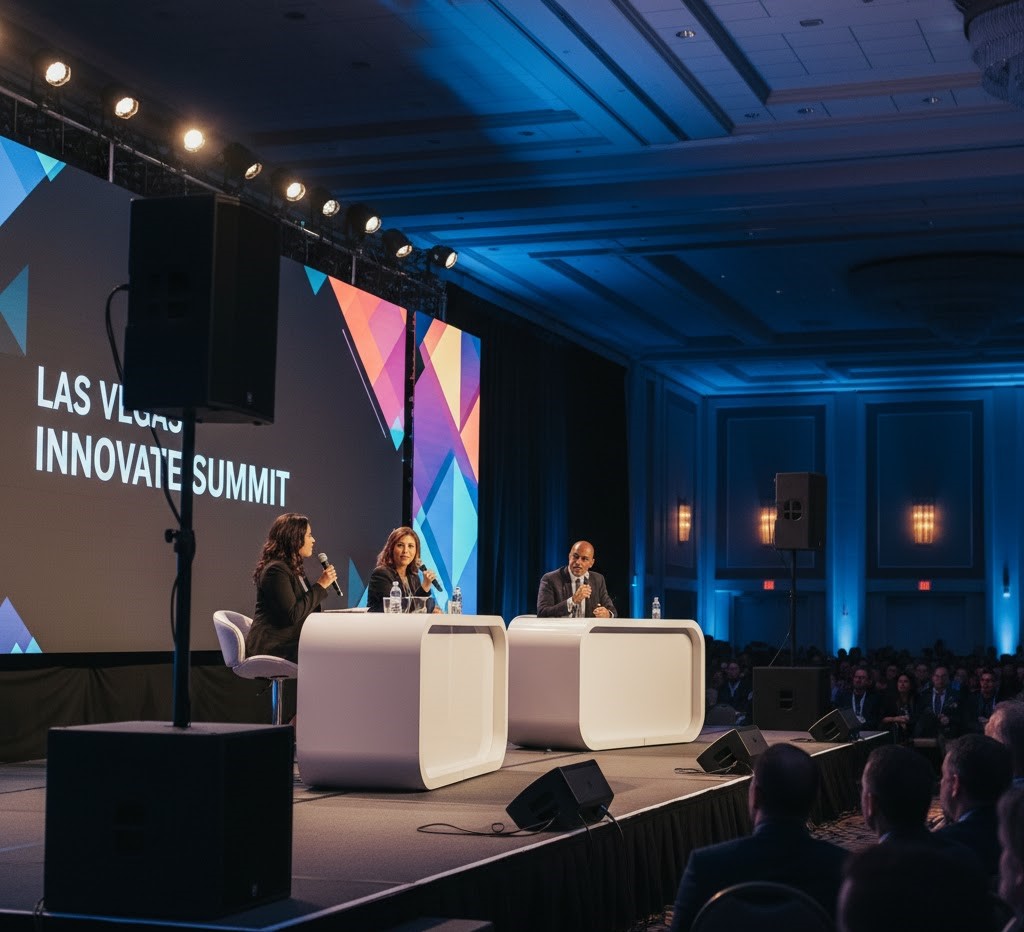
A stage setup at a Las Vegas event showing three panelists using wireless handheld microphones for a Q&A session, with visible speakers and a discreet speaker monitor.

Setup and Support in Las Vegas

  • Coordination with union crews at LVCC and hotels

  • Fast load-in/load-out

  • On-call support during show hours


FAQ:


Q: What’s included in an audio rental package?

A: Speakers, mics, stands, mixers, and all cabling.

Q: Can you provide an on-site tech?

A: Yes. A trained audio tech can handle setup, soundcheck, and live operation.

Q: Do you offer package pricing for full AV setups?

A: Yes. Combine audio, lighting, and LED walls for multi-day events.


Chicago Touchscreen Kiosk Rentals for Interactive Booth Experiences

Interactivity drives engagement on the trade show floor. Touchscreen kiosk rentals from AVR Expos let your brand stand out at McCormick Place and other Chicago venues with custom apps, lead capture, and branded interfaces. Whether you’re running product demos or digital catalogs, our touchscreen rentals make your booth experience unforgettable.

Touchscreens Built for Trade Shows

  • Available sizes from 43” to 55”

  • Kiosk bases, wall mounts, or rolling stands

  • Durable glass for high-traffic use


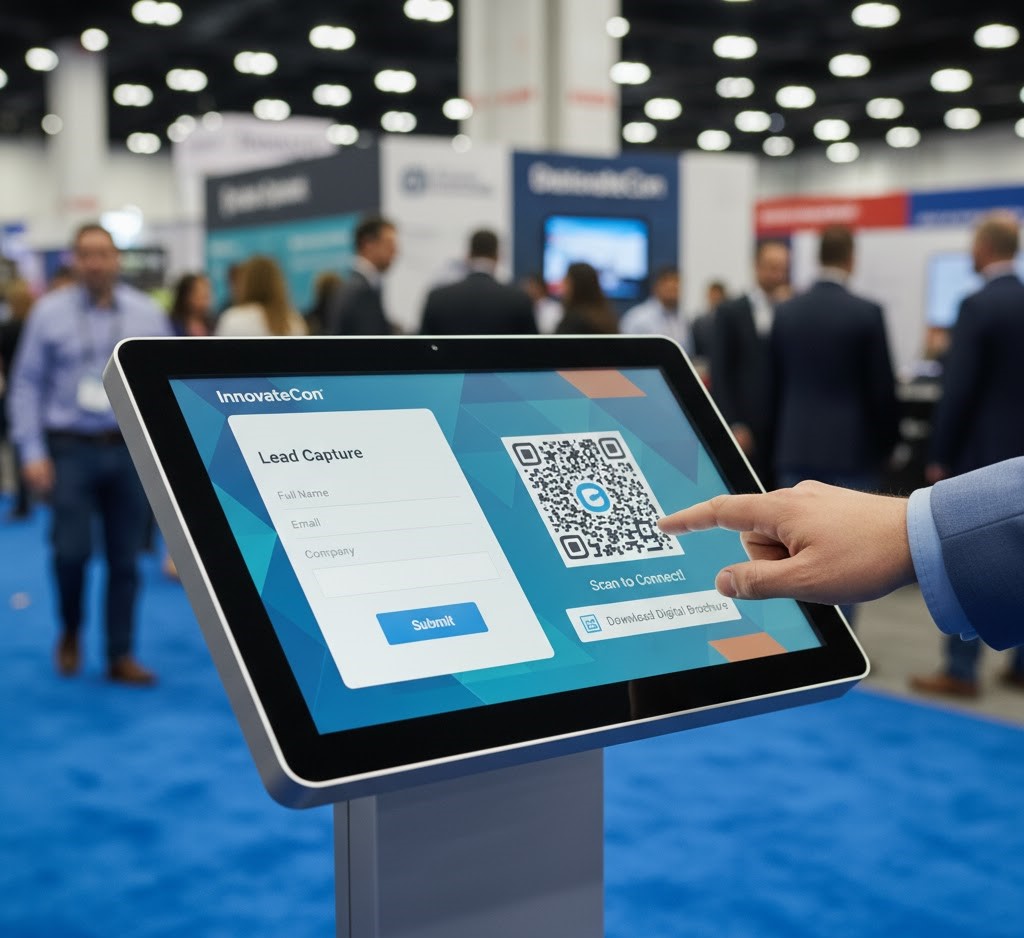
A sleek, 43-inch to 55-inch interactive touchscreen kiosk on a rolling stand being used by a visitor at a vibrant trade show booth in Chicago. The screen displays a branded, colorful digital catalog.

Integration and Compatibility

  • HDMI, USB-C, and wireless screen mirroring

  • Works with custom HTML5, PowerPoint, and app-based content

  • Offline functionality for poor Wi-Fi areas

Streamlining Lead Capture and Analytics

  • QR integration and CRM-ready export

  • Data-driven engagement metrics post-show

  • Real-time updates with on-site media support


FAQ:


Q: Can we run our own software on the kiosks?

A: Yes, we preload and test your content before delivery.

Q: Are these displays mobile?

A: Yes, kiosk bases and rolling stands allow easy repositioning on the show floor.

Q: Do you provide on-site technical support?

A: Yes, a technician is available for installation and troubleshooting.


Orlando Projector Rentals for Hotel Conferences and Training Sessions

In Orlando’s nonstop event calendar, precision and reliability matter. Whether you’re hosting a corporate training, breakout session, or product demo near the Orange County Convention Center, the right projector setup defines clarity and professionalism. AVR Expos provides full-service projector rentals with delivery, setup, and on-site technical support throughout Orlando.

Why Choose Professional Projector Rentals in Orlando

  • Seamless integration with hotel AV systems

  • Brightness levels suitable for ambient light

  • Fast setup within tight hotel turnaround windows

Selecting the Correct Lumen Output

  • 7K–10K lumens for training and breakout rooms

  • 12K–15K lumens for ballrooms or main sessions

  • Laser projectors for consistent brightness and reliability

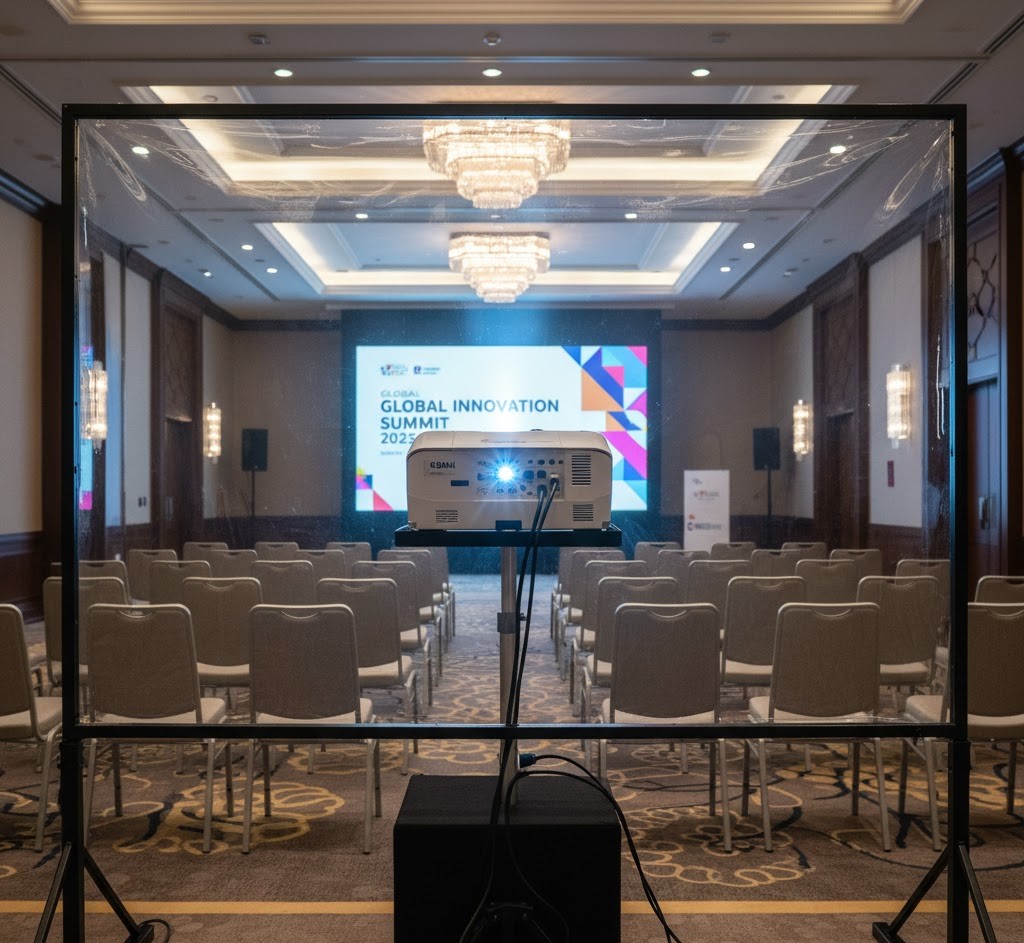
A view from behind a large projection screen showing a rear-projection setup, which includes a projector and short throw lens, positioned to maximize room depth and audience sightlines11.

Screen Sizing and Placement

  • Rear vs. front projection layouts

  • Room depth and sightline considerations

  • Matching screen ratio to your content

 Signal Flow and Support

  • HDMI and SDI extenders for long cable runs

  • Playback laptops, switchers, and backup paths

  • On-site tech for setup and live assistance

FAQ:

Q: What projector is best for 200 attendees?

A: A 12K lumen projector paired with a 10×18 screen delivers excellent clarity in most ballroom conditions.

Q: Can AVR Expos handle setup and teardown?

A: Yes, all Orlando projector rentals include delivery, setup, and post-event pickup.

Q: How far in advance should I book?

A: Two to three weeks is ideal, especially during major Orlando conferences.

NYC Booth Displays: LED vs Projection in Tight Spaces

New York exhibit halls and hotels are space-constrained and fast-turn. If you are deciding between an LED wall and projection for a small booth, start with the room light and your content.

Space and power matter in NYC. A ground-supported LED wall requires base plates and a small footprint behind the wall; a flown wall can free floor space but needs rigging approvals.

Consider setup speed and risk. LED tiles are modular; a bad tile can be swapped, and calibration can be redone without losing the day. Projection may fit tighter budgets but requires more setup space.

Read our NYC case study comparing LED and projection.

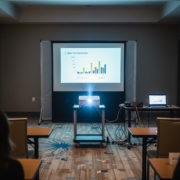
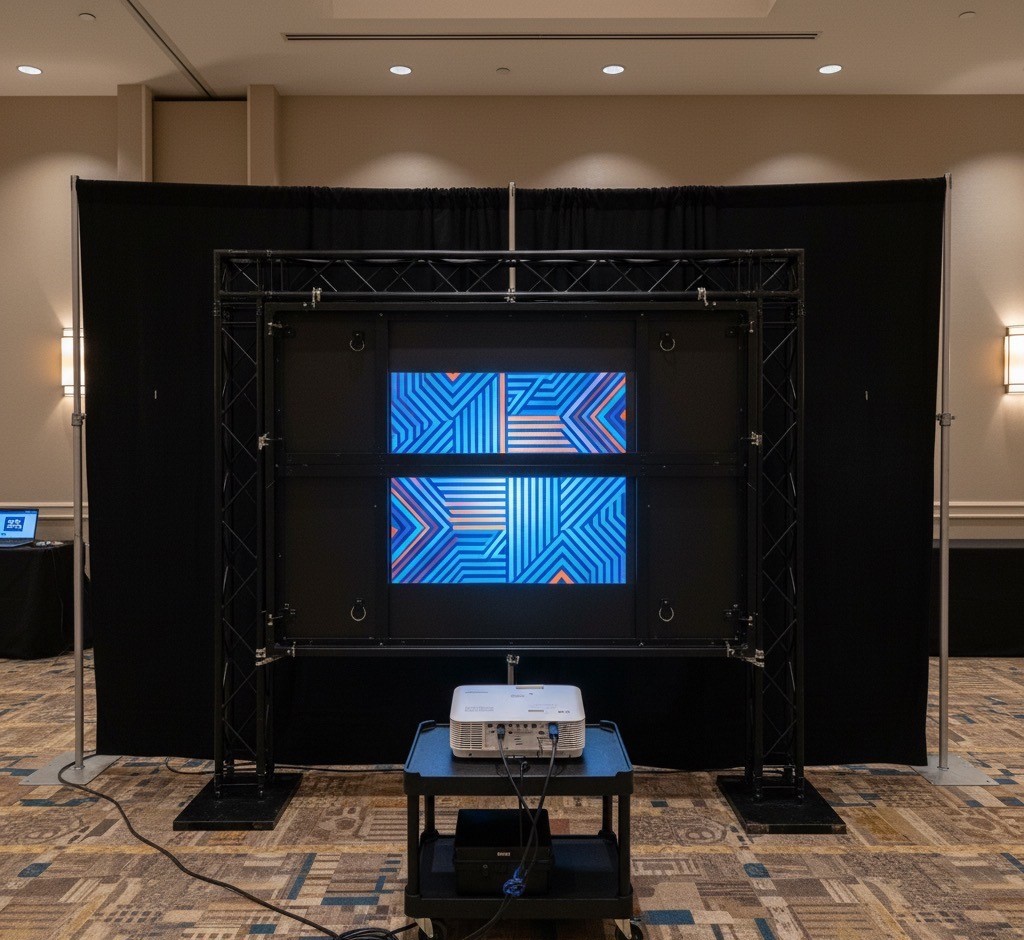
Rear projection screen in a small New York hotel exhibit room

Compare projection vs LED for small booths.

Q: Which is better for small NYC booths, LED or projection?

A: LED for bright aisles and tall content. Projection for controlled rooms and single canvases on tighter budgets.

Q: What about power?

A: LED walls may need 208V three phase. Single projectors can run on a dedicated 20A circuit when brightness allows.

Q: Can I fly an LED wall in NYC hotels?

A: Often yes with approvals. Ground support is the simpler default when rigging is limited.

Orlando Projector and Screen Rentals

Orlando hotels run meetings all day, which means ambient light and fast turns. Breakout rooms typically succeed with 7,000 to 12,000 lumen laser projectors when you can control house lights.

Choose a screen that fits both content and room sightlines. Rear projection keeps cables and presenters clear of the beam, but it costs you depth. Front projection is simpler to stage but needs tighter light control.

When should you choose LED over projection? In high ambient light or when the stage is tall and wide, LED’s contrast and punch win.

Find city-specific projector and screen rental tips.

Rear projection screen with short-throw lens in an Orlando breakout room

AV rentals in Orlando including projectors and LED walls.

Q: How many lumens do I need for an Orlando ballroom?

A: Breakouts 7k to 12k, general sessions 20k to 30k depending on ambient light.

Q: Rear or front projection?

A: Rear keeps presenters out of the beam but needs depth. Front is simpler but needs tighter light control.

Q: When should I choose LED instead?

A: Choose LED for bright rooms, unusual scenic shapes, and tall stages where shadows are a risk.

Inquiry Cart0
There are no products in the cart!
0
Get A Quote
Call Us
Get a Quote