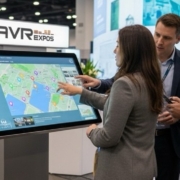
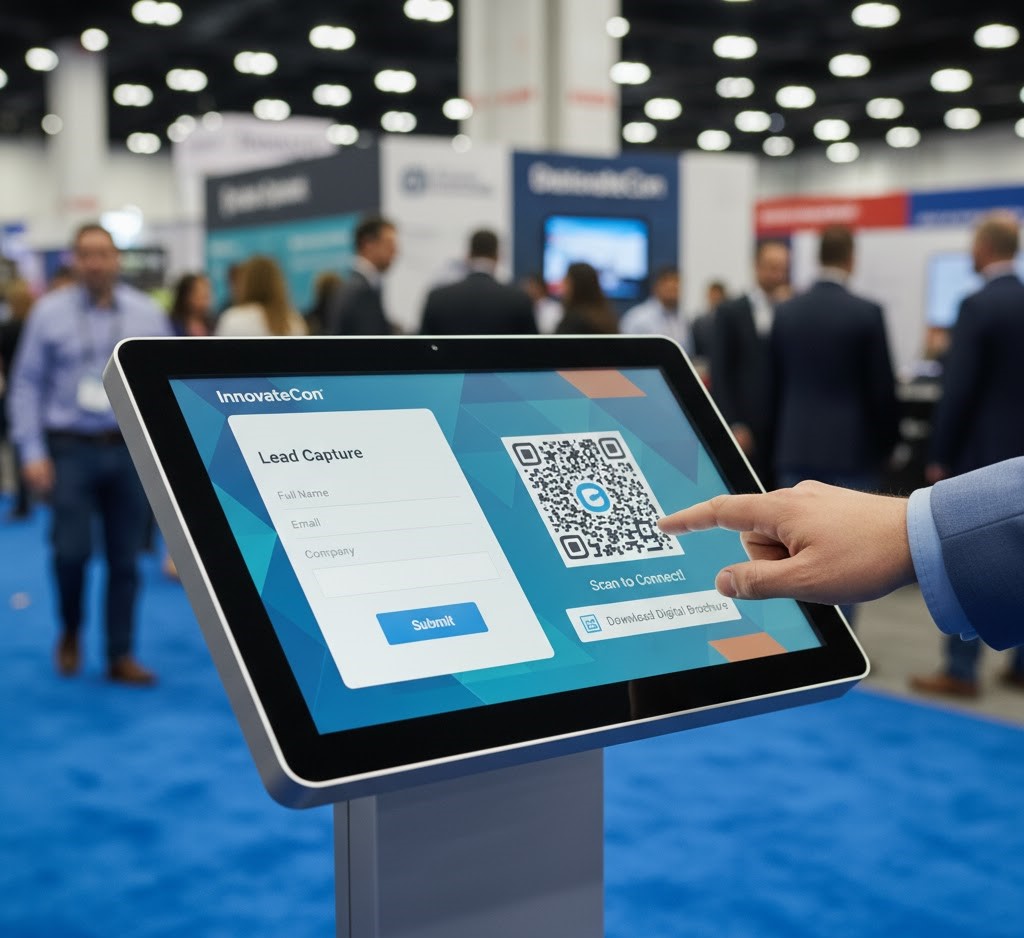
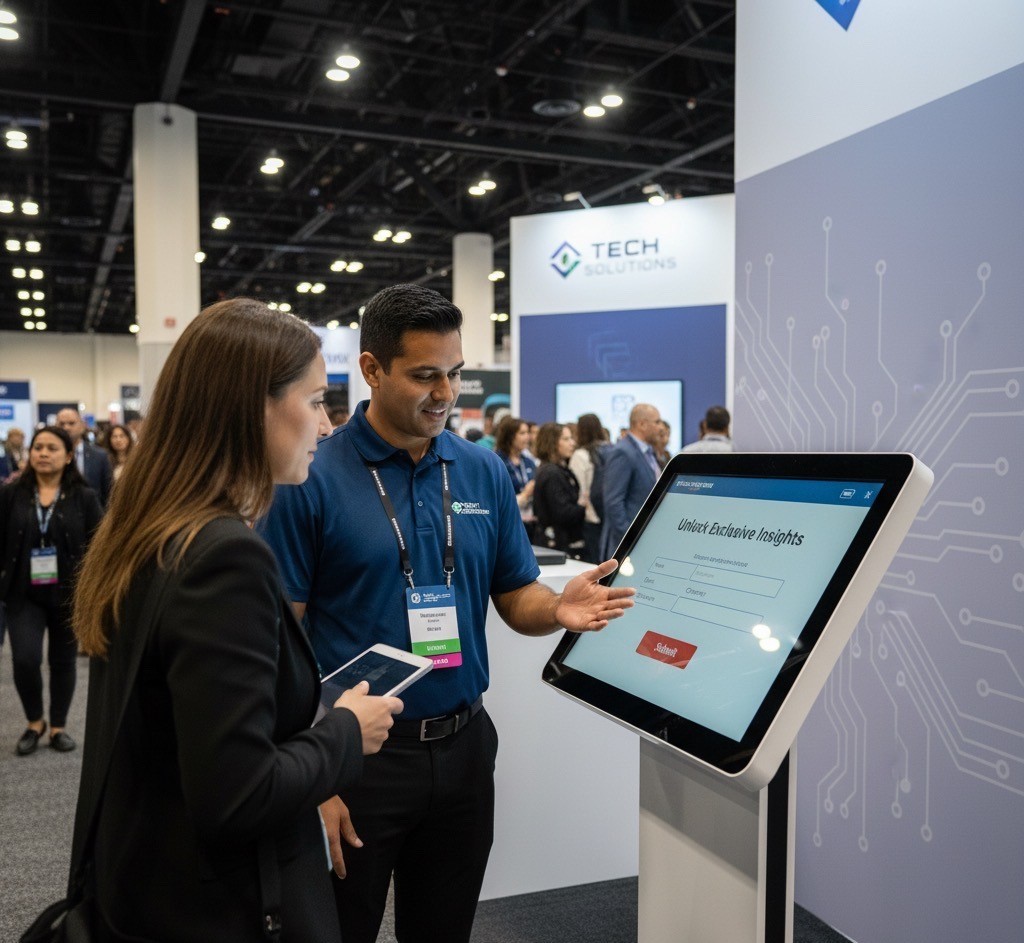
In a world full of distractions, interactivity wins. Touchscreens transform passive attendees into active participants. Whether you’re running a digital catalog, a product demo, or an interactive map, touchscreen displays turn your booth into an experience—not just an exhibit.
Why Touchscreens Work
Engagement through control
When attendees touch, tap, and explore, they engage longer. That leads to better retention and stronger brand recall.
Data capture and analytics
Custom interfaces let you collect leads and track engagement metrics. Every tap tells you what your audience cares about most.
Touchscreen Options for Events
Freestanding kiosks
Perfect for product menus, surveys, and interactive demos. Available in 43” and 55” models.
Wall-mounted and tabletop
Wall mounts save space, while tables encourage collaboration. Both can run offline for reliability.
Multi-touch capability
Our touchscreens support up to 10-point touch with low latency for smooth performance.
Connectivity and Content Management
Plug-and-play setup
All rentals include HDMI, USB-C, and power cabling. Just connect your laptop or media player—no drivers needed.
Preloaded content
We preload your files and test functionality before delivery.
Offline reliability
Wi-Fi optional. All kiosks can run self-contained apps locally.
Conclusion
Interactive touchscreen displays create memorable event experiences by encouraging attendees to explore, engage, and interact with your brand at their own pace. From product demonstrations and digital catalogs to lead capture and wayfinding, touchscreens provide a modern, flexible solution that increases engagement while delivering valuable insights. AVR Expos offers professional touchscreen rental solutions with expert setup and support to help your next event stand out.
FAQs
Q1: Can you preload our app?
A1: Yes. We preload and test your app or content before delivery.
Q2: Are they compatible with Macs and PCs?
A2: Yes, they connect easily via HDMI or USB-C.
Q3: Do I need Wi-Fi?
A3: Not necessarily. All systems can operate offline.
https://www.avrexpos.com/wp-content/uploads/2025/11/ccc.jpg3581430Nicholas Baadshaughttps://www.avrexpos.com/wp-content/uploads/2023/08/AVR-logo-1.webpNicholas Baadshaug2025-10-31 20:45:122026-07-08 16:52:23Interactive Touchscreen Displays: The Future of Event Engagement
Communication within any destination is reliant on audio. It is the unseen rope between the presenters and the audiences. Whether you are setting up a break out session or a general session to accommodate 500 guests, the distinctiveness and harmony of your sound determine how your event will be experienced.
Here’s how to build a system that sounds professional and performs reliably, every time.
Start with the Room and Audience Size
Small rooms (under 100 people)
Use two powered speakers, a small mixer, and wireless handheld or lavalier mics for maximum flexibility.
Medium rooms (100–400 people)
Deploy distributed 12–15” speakers or compact line arrays. This prevents audio “hot spots” and uneven coverage.
Large sessions or ballrooms
Add subwoofers for low-end warmth and delay fills for rear coverage. AVR Expos engineers design systems that keep speech intelligible in large rooms.
Choosing Microphones
Wireless vs. wired
Wireless offers freedom and speed; wired is fail-proof. We stock Shure and Sennheiser systems with proper frequency coordination to avoid interference.
Lavalier, handheld, or headset
Lavs are great for presenters, handhelds for audience Q&A, and headsets for speakers who move dynamically.
Mixers and Signal Flow
Digital mixers
QSC TouchMix and Allen & Heath QU series mixers allow pre-saved EQ curves and fast recall. They’re compact, reliable, and optimized for corporate AV setups.
Playback and integration
We route laptops, video playback devices, and phones through DI boxes for clean, balanced signal flow into the system.
Redundancy and Power Management
Fail-safe design
We use labeled signal paths, redundant wireless receivers, and UPS backup systems to ensure stability.
On-site support
Every major event includes a dedicated AVR Expos technician to monitor audio quality throughout.
Professional audio is one of the most important investments for any corporate event. From selecting the right speakers and microphones to ensuring proper signal flow and on-site monitoring, every element contributes to a clear and engaging experience. With the right planning and experienced AV support, you can deliver presentations that sound professional, keep audiences engaged, and ensure your event runs without interruption.
FAQs
Q1: What size PA do I need?
A1: It depends on your audience size, ceiling height, and room acoustics. We’ll spec the exact coverage you need.
Q2: Can you record the event?
A2: Yes, we can record the main mix or provide press feeds for media coverage.
Q3: Do you include an audio engineer?
A3: Yes, most rentals include an engineer for setup, soundcheck, and live operation.
https://www.avrexpos.com/wp-content/uploads/2025/11/vv.jpg3581430Nicholas Baadshaughttps://www.avrexpos.com/wp-content/uploads/2023/08/AVR-logo-1.webpNicholas Baadshaug2025-10-30 19:56:352026-07-08 16:59:43The Complete Guide to Audio Systems for Corporate Events
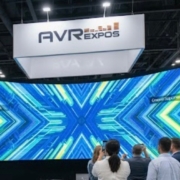
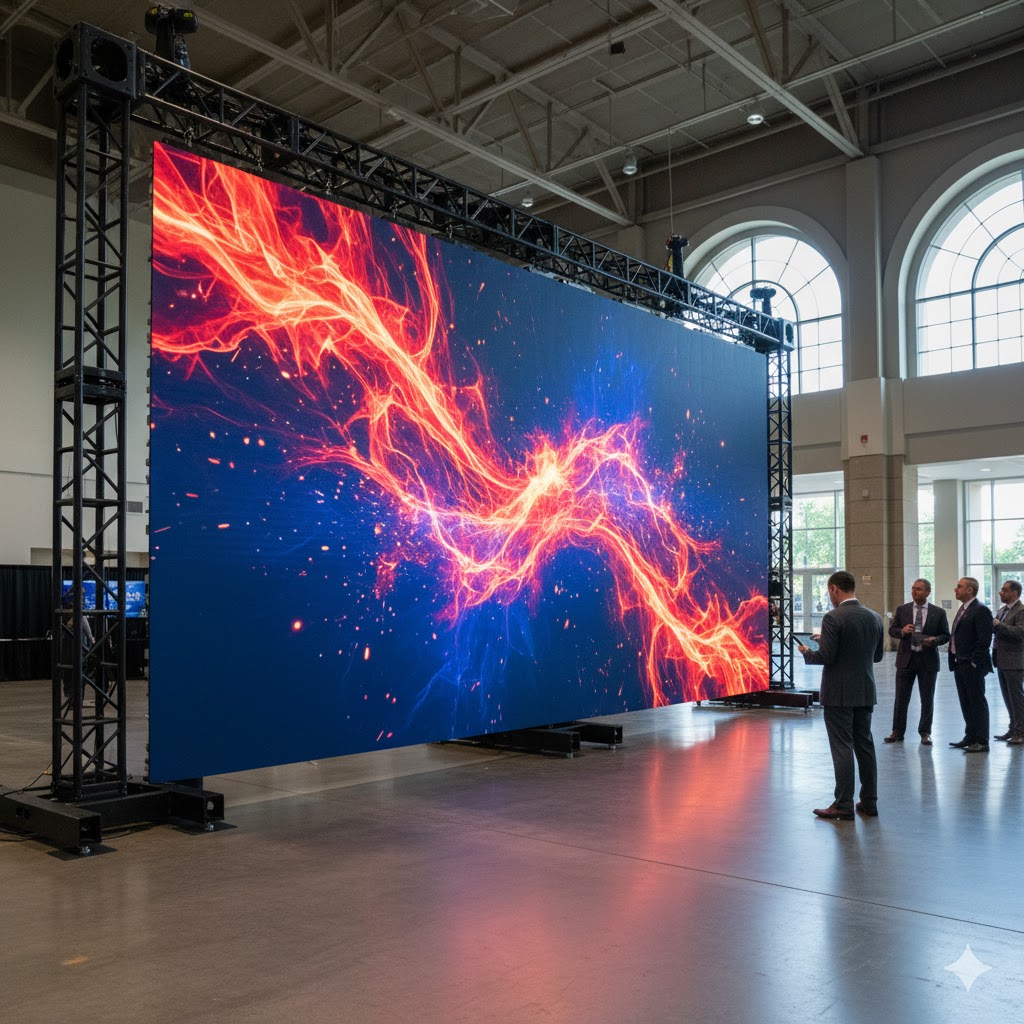
There is no just screen in your booth, but an LED video wall that would be the center of your brand. It makes attention grabbing, and it makes your images look bigger than they would otherwise. However, a correct one cannot be selected only by relying on the guesses of size and resolution. You will even have to consider pixel pitch, layout, brightness, and even the logistics of mounting your display so that it appears sharp at all angles.
Here’s how to make a confident, technically sound choice for your next trade show.
Start with Viewing Distance and Pixel Pitch
Understanding pixel pitch
Pixel pitch measures the distance between LED clusters. The smaller the pitch, the sharper the image at close range. For most trade show booths:
• 1.5mm–1.9mm is ideal for high-detail, close-up visuals.
• 2.6mm is the sweet spot for typical 10×20 or 20×20 booths.
• 3.9mm+ is best for large-scale or outdoor displays.
Avoiding the “overkill” mistake
Many exhibitors assume a smaller pitch equals better quality—but it’s not always necessary. For most audiences standing 6–15 feet away, a 2.6mm wall offers crisp resolution without overpaying for ultra-fine tiles.
How AVR Expos tailors recommendations
Our team analyses the size of booths, sightlines, and lighting conditions and recommends a set-up. We align technology with the real-world requirements, whether you are using INFiLED 2.6mm tiles to create an indoor booth or are using Unilumin 3.9mm to create an outdoor activation.
Mounting and Structural Considerations
Ground-supported vs. flown
Ground-supported walls save time and avoid rigging fees, while flown setups create eye-level visibility for large booths. AVR Expos designs both, ensuring compliance with venue regulations and weight limits.
Integration with exhibit structure
We coordinate directly with your exhibit fabricator to guarantee clean lines, balanced weight, and concealed cable paths. It’s what keeps your LED wall looking built-in, not bolted-on.
Processors and Playback Equipment
Why processors matter
We use Novastar processors (VX6s, VX1000, VX2000) for smooth scaling and redundancy. They handle multi-input content and ensure no single point of failure.
Playback and content switching
From PowerPoint decks to looping videos, AVR Expos pairs processors with ATEM Mini switchers, playback laptops, and fail-safe routing so transitions stay seamless on show day.
Optimizing for Ambient Lighting
Brightness calibration
Trade show lighting can easily wash out low-brightness walls. We calibrate brightness from 800 to 1,200 nits for indoor environments and up to 4,000 for outdoor setups.
Color uniformity
All walls are color-balanced using factory-calibrated profiles to ensure consistent tone across every tile.
A1: Measure your average viewing distance in feet and divide by 10. For example, 20 feet = 2.0mm pitch.
Q2: Can AVR Expos handle delivery and setup?
A2: Yes. We manage delivery, assembly, calibration, and teardown nationwide.
Q3: How long does setup take?
A3: A 16×9 LED wall usually installs in about 4 hours, depending on site logistics.
https://www.avrexpos.com/wp-content/uploads/2025/11/dd.jpg504906Nicholas Baadshaughttps://www.avrexpos.com/wp-content/uploads/2023/08/AVR-logo-1.webpNicholas Baadshaug2025-10-30 19:29:362026-07-08 17:14:01How to Choose the Right LED Video Wall for Your Trade Show Booth
Houston’s event scene demands visual precision. Whether you’re hosting a product reveal, investor meeting, or expo booth activation, AVR Expos provides LED screen rentals that transform presentations into immersive experiences. Our Houston team delivers, installs, and supports video walls across major venues.
LED Display Options for Every Venue
1.5mm–1.9mm for close viewing
2.6mm for mid-range audiences
Outdoor-rated panels for festivals and expos
Setup and Structural Options
Ground-supported or flown configurations
Seamless calibration for vivid visuals
Quick setup and teardown for tight windows
Processors and Content Playback
Novastar processors with multi-input scaling
Live feed integration and show control
Redundant playback systems for mission-critical events
Conclusion
A high-quality LED display can transform any presentation by delivering bright, seamless visuals that capture attention and reinforce your message. Whether you’re exhibiting at a trade show, hosting a corporate meeting, or producing a large-scale event in Houston, AVR Expos provides professional LED screen rentals with expert installation, technical support, and reliable performance from start to finish.
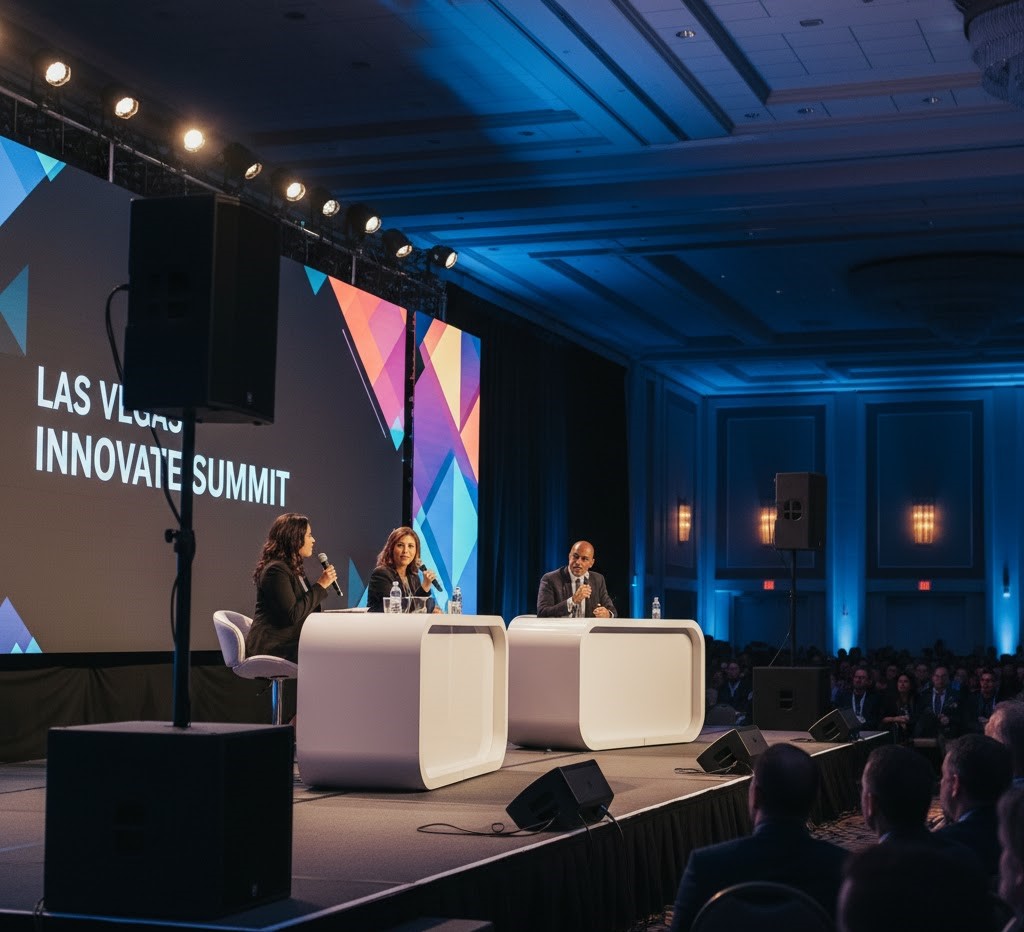
In Las Vegas, your event’s sound quality determines how your message lands. From ballrooms to expo booths, AVR Expos delivers professional-grade audio solutions with clean setup, reliable wireless coordination, and expert on-site technicians.
Tailored Audio Packages for Every Event
Portable systems for breakout rooms
PA coverage for mid-size booths and ballrooms
Large-scale audio setups for corporate general sessions
Frequency management for interference-free operation
Setup and Support in Las Vegas
Coordination with union crews at LVCC and hotels
Fast load-in/load-out
On-call support during show hours
Conclusion
Professional audio is the foundation of every successful event. Whether you’re hosting a corporate conference, exhibiting at a trade show, or organizing a keynote presentation in Las Vegas, reliable sound ensures your message reaches every attendee clearly. From wireless microphone systems and professional PA setups to experienced on-site technicians, the right audio solution helps eliminate technical issues and keeps your event running smoothly. Partnering with an experienced AV provider ensures exceptional sound quality and dependable support from setup to teardown.
Planning an event in Las Vegas? Visit our Main Service Page to explore our complete AV rental solutions, including professional audio systems, LED video walls, lighting, and full-service event production for conferences, trade shows, and corporate events.
FAQ:
Q: What’s included in an audio rental package?
A: Speakers, mics, stands, mixers, and all cabling.
Q: Can you provide an on-site tech?
A: Yes. A trained audio tech can handle setup, soundcheck, and live operation.
Q: Do you offer package pricing for full AV setups?
A: Yes. Combine audio, lighting, and LED walls for multi-day events.
https://www.avrexpos.com/wp-content/uploads/2025/10/Audio-Visual-Rentals-in-Atlanta-37.jpg6281200Nicholas Baadshaughttps://www.avrexpos.com/wp-content/uploads/2023/08/AVR-logo-1.webpNicholas Baadshaug2025-10-27 20:58:002026-07-08 17:21:19Las Vegas Audio Equipment Rentals for Corporate Events and Trade Shows
Interactivity drives engagement on the trade show floor. Touchscreen kiosk rentals from AVR Expos let your brand stand out at McCormick Place and other Chicago venues with custom apps, lead capture, and branded interfaces. Whether you’re running product demos or digital catalogs, our touchscreen rentals make your booth experience unforgettable.
Touchscreens Built for Trade Shows
Available sizes from 43” to 55”
Kiosk bases, wall mounts, or rolling stands
Durable glass for high-traffic use
Integration and Compatibility
HDMI, USB-C, and wireless screen mirroring
Works with custom HTML5, PowerPoint, and app-based content
Offline functionality for poor Wi-Fi areas
Streamlining Lead Capture and Analytics
QR integration and CRM-ready export
Data-driven engagement metrics post-show
Real-time updates with on-site media support
Conclusion
Interactive touchscreen kiosks help transform booth visitors into active participants by making it easy to explore products, access information, and capture qualified leads. Whether you’re exhibiting at McCormick Place or another Chicago venue, AVR Expos provides reliable touchscreen kiosk rentals with professional setup, custom branding, and onsite support to help you create a more engaging event experience.
Explore our complete interactive display solutions and nationwide AV rental services to find the perfect touchscreen kiosk for your next Chicago event.
FAQ:
Q: Can we run our own software on the kiosks?
A: Yes, we preload and test your content before delivery.
Q: Are these displays mobile?
A: Yes, kiosk bases and rolling stands allow easy repositioning on the show floor.
Q: Do you provide on-site technical support?
A: Yes, a technician is available for installation and troubleshooting.
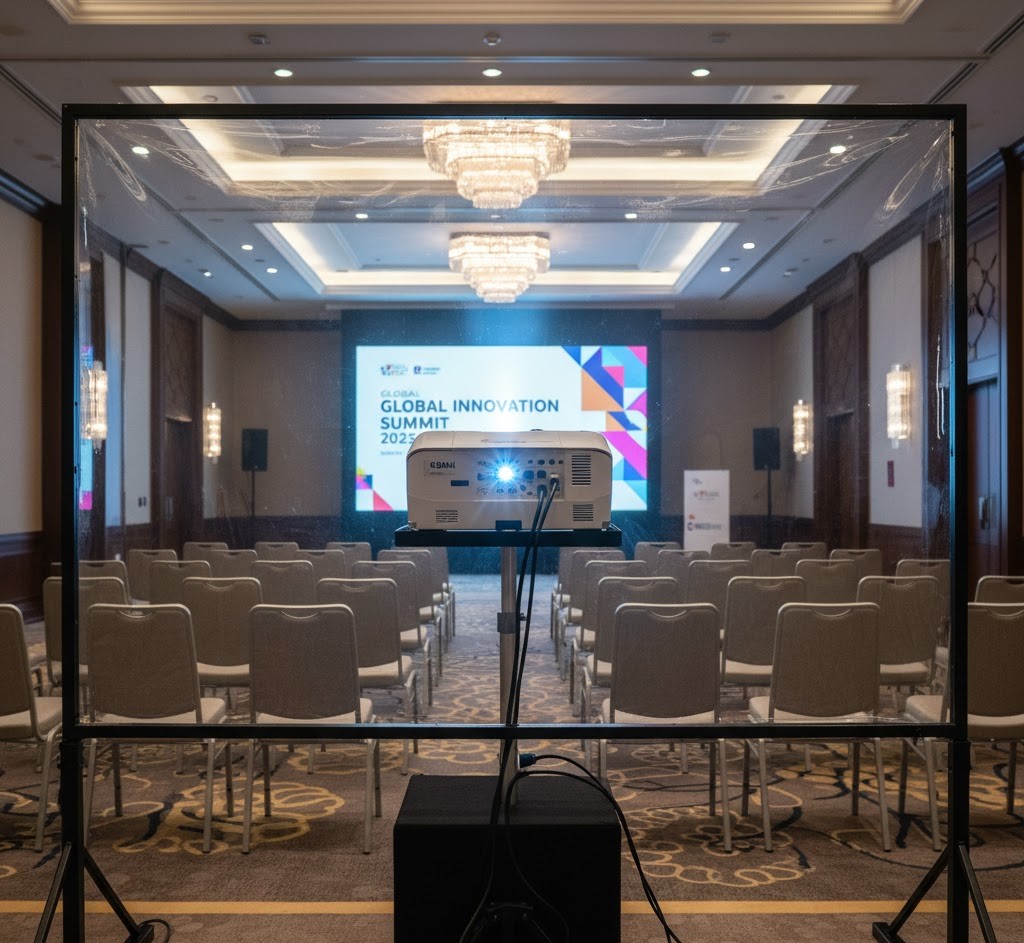
In Orlando’s nonstop event calendar, precision and reliability matter. Whether you’re hosting a corporate training, breakout session, or product demo near the Orange County Convention Center, the right projector setup defines clarity and professionalism. AVR Expos provides full-service projector rentals with delivery, setup, and on-site technical support throughout Orlando.
Why Choose Professional Projector Rentals in Orlando
Seamless integration with hotel AV systems
Brightness levels suitable for ambient light
Fast setup within tight hotel turnaround windows
Selecting the Correct Lumen Output
7K–10K lumens for training and breakout rooms
12K–15K lumens for ballrooms or main sessions
Laser projectors for consistent brightness and reliability
Screen Sizing and Placement
Rear vs. front projection layouts
Room depth and sightline considerations
Matching screen ratio to your content
Signal Flow and Support
HDMI and SDI extenders for long cable runs
Playback laptops, switchers, and backup paths
On-site tech for setup and live assistance
Conclusion
Professional projector rentals ensure your presentations remain bright, clear, and reliable throughout every conference, training session, or corporate meeting. From selecting the right projector brightness to optimizing screen placement and providing onsite technical support, AVR Expos delivers complete projection solutions tailored to Orlando’s hotels, convention centers, and meeting venues.
FAQ:
Q: What projector is best for 200 attendees?
A: A 12K lumen projector paired with a 10×18 screen delivers excellent clarity in most ballroom conditions.
Q: Can AVR Expos handle setup and teardown?
A: Yes, all Orlando projector rentals include delivery, setup, and post-event pickup.
Q: How far in advance should I book?
A: Two to three weeks is ideal, especially during major Orlando conferences.
https://www.avrexpos.com/wp-content/uploads/2025/10/Audio-Visual-Rentals-in-Atlanta-35.jpg6281200Nicholas Baadshaughttps://www.avrexpos.com/wp-content/uploads/2023/08/AVR-logo-1.webpNicholas Baadshaug2025-10-24 19:30:352026-07-08 17:49:27How Projector Rentals Improve Hotel Conferences and Training Sessions in Orlando
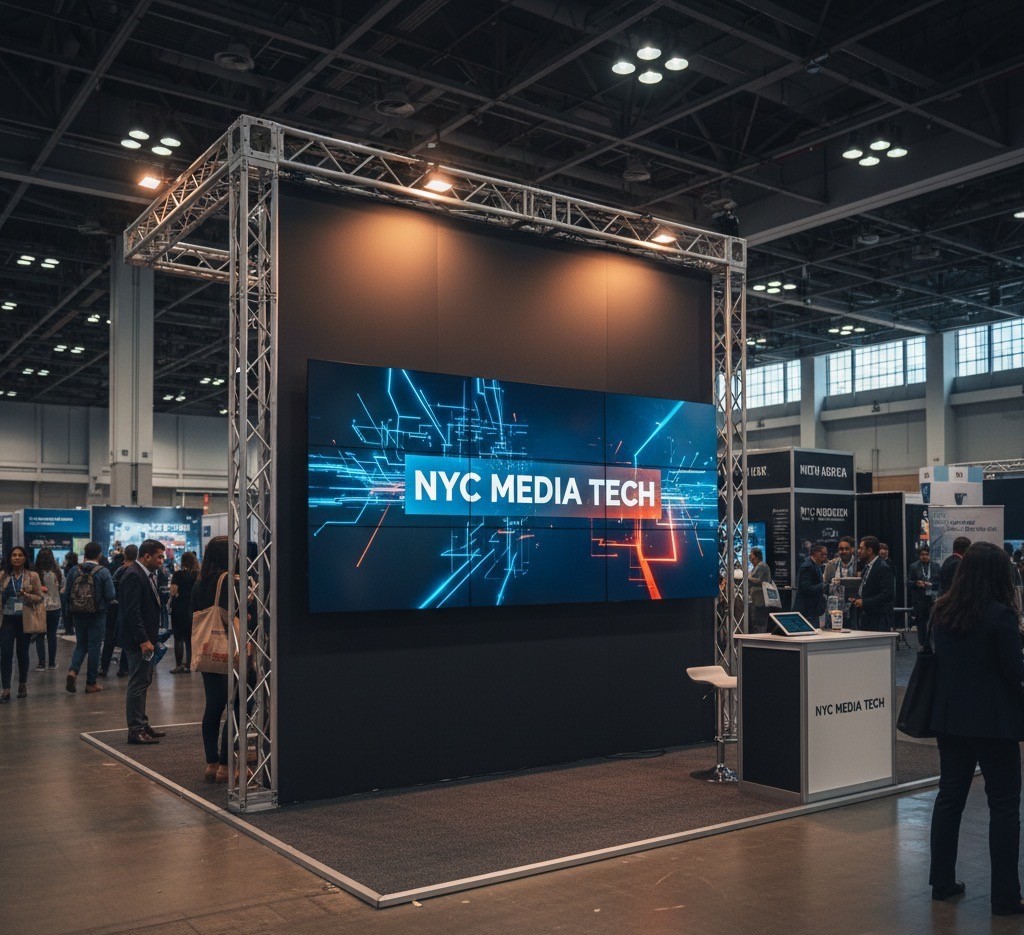
New York exhibit halls and hotels are space-constrained and fast-turn. If you are deciding between an LED wall and projection for a small booth, start with the room light and your content.
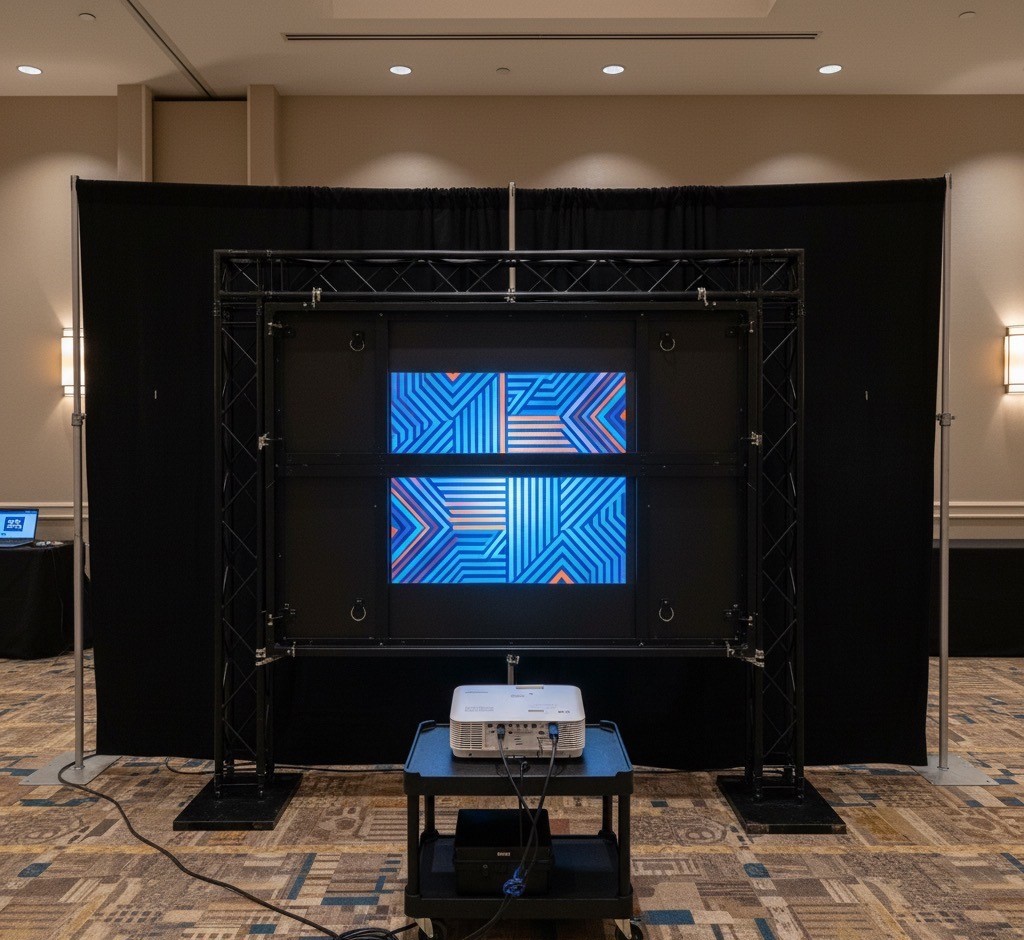
Space and power matter in NYC. A ground-supported LED wall requires base plates and a small footprint behind the wall; a flown wall can free floor space but needs rigging approvals.
Consider setup speed and risk. LED tiles are modular; a bad tile can be swapped, and calibration can be redone without losing the day. Projection may fit tighter budgets but requires more setup space.
Unlike many convention destinations, New York venues often feature:
Smaller booth footprints
Lower ceilings in hotel event spaces
Limited storage and backstage areas
Faster load-in and load-out schedules
Bright exhibit hall lighting
These factors directly influence display performance, installation time, and overall event success.
When LED Walls Are the Better Choice
LED walls have become the preferred display solution for many exhibitors because they provide exceptional brightness and flexibility.
Superior Visibility
LED displays generate their own light, allowing content to remain vivid even under strong exhibition lighting.
Benefits include:
Excellent brightness in open exhibit halls
High contrast for presentations and videos
Wide viewing angles
Consistent image quality throughout the day
For booths competing for attention, visibility alone often justifies choosing LED.
Flexible Designs for Small Booths
Modern LED panels are modular, allowing displays to be built in a variety of configurations.
Popular layouts include:
Full booth backwalls
Vertical branding towers
Corner installations
Curved display walls
Custom-sized video canvases
This flexibility allows exhibitors to maximize impact without wasting valuable booth space.
Faster Recovery if Problems Occur
Live events leave little room for technical delays.
If an individual LED tile develops an issue, technicians can replace that tile without dismantling the entire wall. Image calibration can also be completed quickly onsite, minimizing downtime.
This modular design reduces operational risk during busy exhibition schedules.
When Projection Is the Better Option
Projection remains an excellent choice in specific environments.
It performs best when:
Lighting can be controlled
Budgets are limited
Booths require very large images
Content is primarily presentations or static visuals
For enclosed meeting rooms or private demonstrations, projection can provide impressive image size at a lower equipment cost.
Space Requirements
Although LED walls require very little depth behind the display, projection systems need adequate throw distance.
LED Wall Requirements
Small footprint
Ground-supported or rigged options
Minimal rear clearance
Easy cable management
Projection Requirements
Space for projector placement
Clear projection path
Screen mounting location
Careful alignment during installation
In many NYC venues where every foot counts, LED systems often simplify the overall booth layout.
Power and Installation Considerations
Every venue has different electrical requirements.
Before selecting a display solution, consider:
Available power circuits
Rigging restrictions
Installation windows
Floor loading requirements
Venue regulations
Planning these details early helps avoid unexpected costs during setup.
There is no universal answer when choosing between LED and projection. The right solution depends on your venue, lighting conditions, available space, and event objectives. While projection remains a practical option for many presentations, LED walls offer greater brightness, flexibility, and reliability for today’s trade shows and corporate exhibits. Working with an experienced AV provider ensures your display solution matches both your booth design and your event goals.
FAQs
Q: Which is better for small NYC booths, LED or projection?
A: LED for bright aisles and tall content. Projection for controlled rooms and single canvases on tighter budgets.
Q: What about power?
A: LED walls may need 208V three phase. Single projectors can run on a dedicated 20A circuit when brightness allows.
Q: Can I fly an LED wall in NYC hotels?
A: Often yes with approvals. Ground support is the simpler default when rigging is limited.
https://www.avrexpos.com/wp-content/uploads/2025/10/bbbb.jpg9401024Nicholas Baadshaughttps://www.avrexpos.com/wp-content/uploads/2023/08/AVR-logo-1.webpNicholas Baadshaug2025-10-21 16:06:142026-07-08 17:53:42NYC Booth Displays: LED vs Projection in Tight Spaces
Orlando hotels run meetings all day, which means ambient light and fast turns. Breakout rooms typically succeed with 7,000 to 12,000 lumen laser projectors when you can control house lights.
Choose a screen that fits both content and room sightlines. Rear projection keeps cables and presenters clear of the beam, but it costs you depth. Front projection is simpler to stage but needs tighter light control.
When should you choose LED over projection? In high ambient light or when the stage is tall and wide, LED’s contrast and punch win.
Las Vegas shows prioritize scale and visibility. Monitors from 55 to 86 inches are booth staples; 98 inches becomes a focal point for hero content or live demos.
Touchscreens increase dwell time when the interactions are fast and obvious. For lead capture, integrate a form with business-card scan and auto-sync to your CRM.
Content delivery should be reliable. Mini PCs with Ethernet provide stability, while USB players suit simple loops. Plan power drops early and confirm labor and security needs.
We may request cookies to be set on your device. We use cookies to let us know when you visit our websites, how you interact with us, to enrich your user experience, and to customize your relationship with our website.
Click on the different category headings to find out more. You can also change some of your preferences. Note that blocking some types of cookies may impact your experience on our websites and the services we are able to offer.
Essential Website Cookies
These cookies are strictly necessary to provide you with services available through our website and to use some of its features.
Because these cookies are strictly necessary to deliver the website, refusing them will have impact how our site functions. You always can block or delete cookies by changing your browser settings and force blocking all cookies on this website. But this will always prompt you to accept/refuse cookies when revisiting our site.
We fully respect if you want to refuse cookies but to avoid asking you again and again kindly allow us to store a cookie for that. You are free to opt out any time or opt in for other cookies to get a better experience. If you refuse cookies we will remove all set cookies in our domain.
We provide you with a list of stored cookies on your computer in our domain so you can check what we stored. Due to security reasons we are not able to show or modify cookies from other domains. You can check these in your browser security settings.
Google Analytics Cookies
These cookies collect information that is used either in aggregate form to help us understand how our website is being used or how effective our marketing campaigns are, or to help us customize our website and application for you in order to enhance your experience.
If you do not want that we track your visit to our site you can disable tracking in your browser here:
Other external services
We also use different external services like Google Webfonts, Google Maps, and external Video providers. Since these providers may collect personal data like your IP address we allow you to block them here. Please be aware that this might heavily reduce the functionality and appearance of our site. Changes will take effect once you reload the page.
Google Webfont Settings:
Google Map Settings:
Google reCaptcha Settings:
Vimeo and Youtube video embeds:
Other cookies
The following cookies are also needed - You can choose if you want to allow them: