How to Build a Complete Audio Strategy for Chicago Trade Shows and Conferences

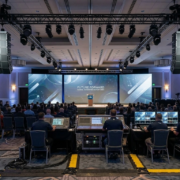
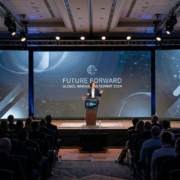
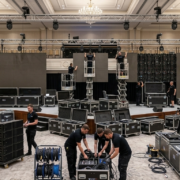
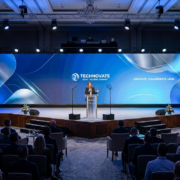
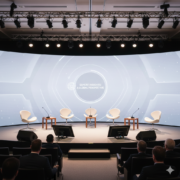
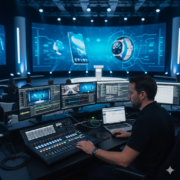
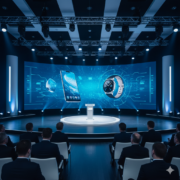
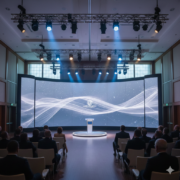
Chicago events — especially those at McCormick Place and downtown hotel ballrooms — demand clear, controlled audio. These venues are large, reflective, and unforgiving. Without the right strategy, you end up with hot spots, dead zones, echo, or feedback. A strong audio plan ensures exhibitors, presenters, and corporate teams deliver their message with precision.

This guide breaks down how to design a clean, consistent audio strategy for Chicago events.

Determine Coverage Requirements

  • Small booths need lightweight reinforcement.
  • Breakout rooms require even coverage.
  • Large sessions demand distributed audio.

Chicago’s concrete-heavy architecture requires wider audio dispersion to avoid reflections.

Speaker Selection for Chicago Venues

Best speaker types:

  • 8-inch powered speakers for booth demos
  • 10–12 inch speakers for breakout rooms
  • Line-array speakers for larger sessions


Use directional speakers for show floors to avoid bleed.

Microphone Selection

Handheld wireless: best for Q&A

Lavalier: ideal for presenters who walk

Headset: best clarity in noisy environments

Gooseneck: for panel tables

Chicago events often require frequency coordination to avoid interference.

Mixing Strategy

Use a digital mixer for:

  • Multi-input management
  • EQ shaping
  • Compression
  • Scene recall
  • Quick adjustments


Chicago rooms are reflective — cut low frequencies and avoid boosting high mids.

Distributed Audio for Large Rooms

For rooms larger than 60 feet:

  • Use 4–6 speakers spaced evenly
  • Avoid placing speakers too close to walls
  • Use delay speakers to maintain timing

McCormick Place often requires distributed audio because of ceiling height and room scale.

Cable Management in Chicago Venues

High foot traffic demands:

  • Secured cable runs
  • Black cable ramps
  • Velcro ties
  • Truss or booth-frame routing

Audio failures often come from cabling, not equipment.

Sound Checks and Live Monitoring


Before doors open:

  • Set EQ
  • Balance mics
  • Run video playback tests
  • Check every wireless channel


During the event:

  • Monitor levels
  • Adjust gain
  • Replace batteries
  • Correct feedback instantly


FAQs

Q1: What’s the most common audio issue in Chicago venues?

Reflections from concrete and glass surfaces that cause echo.

Q2: Do I need a mixer for small booth demos?

Yes. Even a small mixer helps manage gain and avoid feedback.

Q3: Does AVR Expos provide onsite techs in Chicago?

Absolutely — full delivery, setup, tuning, and strike.

Why Touchscreens Are Becoming Essential for Government and Policy Events in Washington DC

Washington DC is a hub for government briefings, policy summits, think-tank events, federal conferences, and high-level agency meetings. These events demand clarity, accuracy, and engagement. Traditional slide decks and printed materials simply don’t hold an audience’s attention anymore — especially when decision-makers expect fast access to data.


Touchscreens have rapidly become the go-to solution for interactive engagement at DC events. They’re precise, efficient, and ideal for secure environments where information needs to be delivered clearly and professionally.


Here’s why touchscreens are now standard in Washington DC’s government and policy event landscape.

Touchscreens Elevate Data Presentation

Policy events require data-heavy communication: charts, timelines, policy comparisons, dashboards, and model outputs.

Touchscreens improve this by enabling:

  • Interactive drilling into data
  • Visual demos of policy impacts
  • Tap-to-expand charts
  • Real-time annotation
  • Cleaner audience engagement


Instead of flipping slides, speakers can manipulate information live.

Touchscreens Improve Engagement in Think-Tank Settings

DC think-tank events rely on:

  • Research summaries
  • Case studies
  • Scenario modeling
  • Multi-path policy outcomes

Touchscreens allow attendees to explore these materials on their own terms.


Compliance-Friendly Hardware

Government venues often require:

  • Secure cable routing
  • Non-wireless content options
  • Encrypted playback sources


Touchscreens support:

  • Locked-down laptops
  • Hardwired HDMI
  • Local playback only

This makes them ideal for federal use.

Perfect for Breakout Sessions

Breakout rooms in DC events are where the real work happens.


Touchscreens support:

  • Small-group collaboration
  • Digital whiteboarding
  • Brainstorm capture
  • Interactive frameworks


Instead of sticky notes, everything becomes digitized instantly.

Touchscreens Reduce Printed Material Costs

Government and policy events often produce a mountain of printouts.

Touchscreens replace:

  • Folders
  • Reports
  • Policy briefs
  • Handouts

Everything becomes digital and searchable.

Best Touchscreen Sizes for DC Events

  • 32–43 inch: kiosks and attendee browsing
  • 55 inch: presenter-led content
  • 65 inch: group collaboration
  • 75 inch: plenary-level interactivity

Touchscreen Placement in DC Venues

Place touchscreens:

  • Near entrance zones
  • In breakout rooms
  • Along panel session corridors
  • Within advocacy or organizational booths


FAQs


Q1: Are touchscreens secure enough for federal events?

Yes. They support locked-down hardware and encrypted local playback.

Q2: Do DC venues allow kiosks and touchscreen stands?

Yes, as long as they follow standard fire-lane rules.

Q3: Can touchscreens run offline content?

Absolutely. Many government events require offline-only content.

The Best Monitor Configurations for 10×10 and 10×20 Booths at Las Vegas Trade Shows

Las Vegas hosts some of the highest-production exhibits in the world. Whether you’re at the Las Vegas Convention Center, the Venetian Expo, or Mandalay Bay, visual competition is fierce. This means your booth’s monitor configuration can’t be average — it needs to be deliberate, visible, and clean. The difference between a 10×10 booth that looks generic and one that commands aisle attention is almost always the AV layout.


Here’s how to optimize monitor configurations for 10×10 and 10×20 booths in Las Vegas without wasting space, blowing your budget, or compromising visibility.

Monitor Sizes for 10×10 Booths

Most exhibitors under-size their displays. For Las Vegas lighting and aisle distance, these are your targets:

  • 55–65 inch monitors for primary displays
  • 43 inch monitors for secondary or demo stations
  • 32 inch touchscreens for lead capture


Avoid 75-inch screens in a 10×10 unless your booth has a minimalist layout.

Monitor Sizes for 10×20 Booths

10×20 booths let you layer screens strategically.

Recommended configurations:

  • Two 65-inch monitors on side walls
  • One 75–98 inch display as the primary forward-facing screen
  • A touchscreen kiosk near the aisle for engagement


This layout increases visibility from multiple angles — important in Las Vegas where traffic flows in wide aisles.


Use Vertical Orientation for Aisle Visibility

Vertical screens perform exceptionally well on the strip side of LVCC North and Central Hall because aisle visibility is stretched.

Vertical screens are ideal for:

  • Digital posters
  • Motion typography
  • Feature highlights
  • QR code captures


Horizontal screens are still best for:

  • Software demos
  • Product videos
  • Training content


Wall Mount vs. Stand Mount

Wall mounts look more premium and save floor space.

Stand mounts offer flexibility but require cable concealment.


In Las Vegas, wall mounting is preferred because it:

  • Reduces trip hazards
  • Keeps cables hidden
  • Survives heavy foot traffic
  • Looks cleaner in high-end booths


If you must use stands, use heavy bases with rear cable runs.


Use Multi-Monitor Zones to Control Flow

For 10×20 booths, build zones:

  • Zone A: Primary storytelling screen
  • Zone B: Demo monitors
  • Zone C: Touchscreen engagement

This layout keeps people moving without crowding your space.


Brightness Matters in Las Vegas

Choose commercial 4K monitors with 700–1,000 nit brightness.

Consumer TVs wash out in Vegas convention lighting.


Use HDMI Switchers or Matrix Routing

Las Vegas exhibitors often run:

  • Multiple laptops
  • Video loops
  • Presentation decks
  • Camera feeds


Use an HDMI matrix or switcher to avoid cable swapping.


Content Tips for Vegas Shows

  • High-contrast visuals perform best.
  • Motion graphics draw attention.
  • Use 20–30 second loops to maintain rhythm.

FAQs

Q1: Should I use one large monitor or multiple smaller ones?

If visibility is your goal, one large display in the center is strongest. For demos, multiple screens work better.

Q2: Do Vegas shows require special mounting rules?

Most allow wall mounts, but some shows restrict stand placement in high-traffic aisles.

Q3: Can AVR Expos deliver and install directly at LVCC or Mandalay Bay?

Yes. Delivery, setup, and strike are included.

How Orlando Exhibitors Can Use LED Walls to Replace Printed Graphics and Reduce Costs

Orlando is one of the busiest trade show destinations in the country, home to massive events at the Orange County Convention Center and dozens of surrounding hotels and conference venues. Exhibitors spend tens of thousands of dollars on booth designs, printed graphics, and brand materials — only to replace everything again the following year. The cost adds up, the logistics get messy, and the visual impact rarely matches what you see in renderings.


LED walls have changed that. Instead of committing to static printed graphics that can’t be edited once they’re produced, Orlando exhibitors are moving to digital backdrops that can be refreshed instantly, animated, repurposed across multiple events, and built at nearly any size. If you’re looking to reduce printing costs, simplify your booth workflow, and modernize your presence, LED walls are your smartest long-term move.


Below is a clear breakdown of how LED walls can completely replace (and outperform) printed graphics for Orlando trade shows.


Replace Printed Graphics With Dynamic Digital Content

Printed graphics are frozen in time. Once they’re printed, that’s it — no edits, no animation, no reformatting. LED walls, however, turn your booth into a flexible digital canvas.


Advantages over printed graphics:

  • Animations and motion graphics catch attention from aisles
  • Real-time updates to messaging
  • Unlimited content variations
  • No shipping tubes, no carton damage, no reprints
  • Cleaner branding with perfect edge-to-edge visuals


Printed backwalls make your booth look static. LED walls make it look alive.


LED Pixel Pitch Options for Orlando Visibility

Orlando’s exhibit halls are wide open with long sight lines. Here’s the best pixel pitch guidance:


  • 1.5 mm — premium, close-view applications
  • 1.9 mm — ideal for 10×10 and 10×20 booths
  • 2.6 mm — best all-around pitch for OCCC exhibit halls
  • 3.9 mm — only for long-distance visibility or large stages


Most exhibitors moving from printed graphics choose 1.9 or 2.6 mm walls because the text and visuals match the clarity of a printed graphic — but with animation.


Choose the Best LED Wall Size to Replace Your Printed Backdrops

The most common printed backdrops in Orlando are 8’, 10’, 16’, and 20’ wide. LED walls can match any of them.


Popular sizes for booth backwalls:

  • 8×12 ft — perfect for 10×20 booths
  • 10×16 ft — replaces a full printed backwall
  • 12×20 ft — stage-level impact
  • Custom dimensions — built tile by tile

If you’ve been using a printed SEG frame system, an LED wall can be built to the exact same footprint.


Use LED Walls to Reduce Year-Over-Year Costs

On paper, LED walls appear more expensive. But once you add printing, reprints, shipping, drayage, storage, and replacement fees, LED wins long-term.


Eliminate:

  • Crate fees
  • Forklift charges
  • Damaged print replacements
  • Multi-year redesign costs
  • Graphic reprints


Your content becomes digital, reusable, and editable — no more waste.


LED Walls Are Ideal for Orlando’s Bright Lighting

Orlando venues often run high-intensity lighting to accommodate photography and filming.

LED walls are:

  • Brighter
  • Clearer
  • More color-accurate
  • Less affected by glare


Printed graphics wash out under aggressive lighting. LED ignores it.


Content Strategy When Switching From Printed to Digital


Instead of sending huge print files, you send video or animated content.


Best-performing content types:

  • Animated brand loops
  • Product highlight reels
  • Testimonials
  • Motion typography
  • QR code transitions
  • Soft ambient color motion


You aren’t just replacing graphics — you’re upgrading the booth’s energy.


Installation Rules for Orlando Venues

The OCCC allows:

  • Ground-supported LED walls
  • Walls mounted to booth structures
  • Rigged LED walls (depending on show rules)


AVR Expos handles:

  • Delivery
  • Build
  • Calibration
  • Processor setup
  • Strike and removal


FAQs


Q1: Will an LED wall cost more than my printed walls?

Not long-term. Once you eliminate printing, reprints, shipping, and storage, LED becomes more cost-effective.

Q2: Can LED content match my brand colors?

Yes. LED walls use calibrated color profiles for accurate reproduction.

Q3: Can I reuse the same LED content at different shows?

Absolutely — you can repurpose or update it anytime.

How to Choose the Right Monitor Size for Your Trade Show Booth

Choosing the right monitor size for your trade show booth seems straightforward until you start planning. Exhibitors often discover too late that their screen is too small to be seen from the aisle or too large and overpowering for their booth layout. Screen size affects how attendees interact with your booth, how your content displays, and ultimately how your brand is perceived on the show floor.

This guide breaks down exactly how to pick the right monitor size for any booth layout, whether it’s a 10×10, 10×20, or island configuration.

The Monitor Sizing Formula

A simple rule used by professional AV installers is:

Viewing distance ÷ 1.5 = minimum diagonal size.

Examples:

  • Viewers 6 feet away → 40–50-inch monitor minimum
  • Viewers 9 feet away → 65-inch monitor minimum
  • Viewers 12 feet away → 75–98-inch monitor ideal

Trade shows are busy, with visual clutter everywhere, so it’s usually better to err on the larger side.

Sizing Recommendations by Booth Type

10×10 Booth

  • One 55–65-inch screen as the main visual
  • Optional small touchscreen for lead capture or quick demos
  • Avoid 75-inch displays unless the booth is extremely minimalistic and you have the wall space to support it

10×20 Booth

  • Two 55–65-inch displays for dual-side engagement
  • Or one 75–98-inch large display as the focal point
  • This format is great for software demos, looping videos, and brand storytelling

Island Booth

Island booths offer more freedom and can support bolder AV choices.

Ideal sizes:

  • 65–98-inch screens on multiple sides
  • Ultra-wide formats for immersive visuals
  • Hanging displays or overhead screens if venue rules allow

Orientation Matters: Vertical vs. Horizontal

Vertical (Portrait) Screens

Vertical screens are ideal for:

  • Digital posters
  • Motion graphic branding
  • Product feature highlights
  • QR code callouts directing attendees to landing pages

Vertical content is highly effective at catching attention in crowded aisles because it behaves like a digital banner.

Horizontal (Landscape) Screens

Horizontal screens work best for:

  • Promotional videos
  • Software demos
  • Training or walkthrough content
  • Presentations or multi-input switching

Horizontal orientation is the safest default for most exhibitors because it aligns with how most content is produced.

When to Use Multiple Screens

Multiple monitors help control attendee flow and create separate experience zones within your booth.

Good use cases:

  • Left and right side aisles
  • Dedicated product or solution zones
  • Demo stations for independent browsing
  • Reception or check-in areas
  • Multi-person presentations or training sessions

If you’re using more than one screen, make sure your content strategy is consistent and intentional. Each display should serve a clear purpose.

Consider Brightness and Viewing Angle

In a trade show environment, ambient light is rarely ideal. Monitors need high brightness to compete with open hall lighting and other booths.

Target:

  • At least 700 nits of brightness for trade show environments

Avoid consumer TVs that wash out under strong overhead lighting. Commercial monitors are designed to stay visible and consistent for longer periods.

How Monitor Size Affects Content Design

Larger screens require content built for scale.

Content rules:

  • No text below 40 pt on 55–65-inch screens
  • No text below 60 pt on 75–98-inch screens
  • Use high-contrast color combinations
  • Avoid busy backgrounds behind key text

If your content is built for a small laptop screen and you simply scale it up, it often looks weak or hard to read from the aisle.

FAQs

Q1: Is a 98-inch display too big for a small booth?

Not if it’s wall-mounted and your layout is clean. The key is making sure it doesn’t block sightlines or reduce open space.

Q2: What’s better for demos: a monitor or a touchscreen?

Touchscreens win for engagement and interaction. Monitors win for pure visibility and distance viewing. Many exhibitors use both.

Q3: Can AVR Expos help determine screen placement?

Yes. We handle installation and help you position screens for maximum impact and visibility.

The Most Common AV Mistakes Exhibitors Make (and How to Avoid Them)

Trade shows are unforgiving environments. You have seconds, not minutes, to capture a moving attendee’s attention. Exhibitors invest thousands in travel, freight, booth design, and graphics, yet some of the most impactful decisions come down to the one area most teams overlook: AV strategy.

Screens mounted too low. Displays not bright enough. Pixel pitch that doesn’t match viewing distance. Audio that bleeds into the aisle. Content that looks stretched or blurry because it wasn’t formatted correctly. These are the mistakes that separate a polished, confident booth from the ones attendees walk past without stopping.

This guide breaks down the most common AV mistakes exhibitors make — and exactly how to avoid them — regardless of booth size, budget, or industry.

Split image comparing incorrect low-mounted screens on the left and properly elevated commercial displays on the right.

Mistake #1: Mounting Screens Too Low

Low-mounted screens are the silent killer of booth performance. When a display sits near eye level or lower, several problems show up immediately:

  • People walking by block the content
  • Your message disappears behind product tables or counters
  • Aisle visibility drops dramatically
  • Your booth feels visually cramped

The Fix: Mount Higher Than You Think

The center of your primary display should sit around 6 to 7 feet high, depending on venue restrictions. Tall mounting increases long-distance visibility and makes your booth feel larger and more premium.

Mistake #2: Using Consumer-Grade TVs Instead of Commercial Displays

A standard TV from a retail store is not built for trade shows.

Here’s why:

  • Lower brightness (typically 350–400 nits)
  • Shorter runtime limits
  • Bezels that look cheap under show lighting
  • Limited input and control options
  • Increased risk of failure under continuous use

The Fix: Rent Commercial-Grade or LED Displays

Commercial 4K monitors offer:

  • 700–1,000 nit brightness
  • Full-day operation without overheating
  • Slimmer bezels and more robust housings
  • More stable color calibration

LED walls go even further with seamless edges, modular construction, and high visibility from across the hall.

Mistake #3: Incorrect Content Resolution

If your content isn’t formatted for the display, your entire booth suffers.

Common issues include:

  • Stretched or distorted images
  • Black bars on the top or sides of the screen
  • Blurry or soft video playback
  • Pixelated or hard-to-read text

The Fix: Match Content to Exact Pixel Dimensions

If you’re displaying on:

  • 1080p monitors → design in 1920 × 1080
  • 4K monitors → design in 3840 × 2160
  • LED walls → design to the wall’s exact pixel count (for example, 1536 × 768)

LED content needs to be built intentionally. Guessing leads to poor visual quality.

Mistake #4: Choosing the Wrong Pixel Pitch

Pixel pitch determines clarity. Too large of a pitch and viewers will see the “screen door effect.” Too fine of a pitch and you overpay without any real benefit based on viewing distance.

The Fix: Match Pitch to Viewing Distance

As a general rule:

  • 1.5–1.9 mm: For close viewing (less than 6 feet)
  • 2.6 mm: Standard trade show pitch for most booths
  • 3.9 mm and above: Not recommended for indoor exhibit booths

Trade shows often call for 2.6 mm. Small booths or high-end product displays targeted at close viewing benefit from 1.9 mm.

Mistake #5: Poor Audio Planning

Audio problems are easy for attendees to notice and hard to fix once the show opens.

Common failures include:

  • Using speakers that are too loud for the space
  • Audio bleeding into neighboring booths
  • Using consumer Bluetooth speakers that drop out or distort
  • Microphone feedback
  • Inconsistent volume across zones or areas of the booth

The Fix: Choose Directional Audio and Proper Gain Structure

Professional AV teams balance:

  • Speaker placement
  • Volume levels
  • Audio direction
  • Feedback reduction
  • Microphone EQ and compression

The goal is controlled clarity, not blasting volume.

Mistake #6: Last-Minute Power Planning


Half of the issues exhibitors face stem from assuming that “power is power.” It isn’t.

The Risks of Underestimating Power:

  • LED walls shutting down under load
  • Monitors flickering or powering off
  • Equipment overheating
  • Poor cable placement creating hazards

The Fix: Order Enough Power

Most booths need approximately:

  • LED walls: 10–20 amps
  • Monitors: 1–2 amps each
  • Touchscreens: 2–3 amps
  • Audio gear: 3–5 amps

Always round up. Convention center late fees for additional power ordered onsite are painful.

Mistake #7: No Backup Content

If your primary playback device fails, the booth experience can collapse instantly.

The Fix: Always Bring Backup Media

You should have:

  • A USB backup with all media files
  • A secondary laptop or playback device
  • A backup HDMI cable
  • Offline versions of all key videos
  • Static image fallbacks for your screens

AVR Expos technicians always bring backups. You should too.

FAQs


Q1: What’s the most common AV mistake exhibitors make?

Low screens and mismatched content resolution.

Q2: Can AVR Expos review our content before the show?

Yes. We can test and verify your files before going onsite.

Q3: How can we avoid audio bleed into neighboring booths?

Use directional speakers, lower gain, and proper EQ to control spill.

The Complete AV Guide for Designing a High-Impact 10×20 Trade Show Booth

A 10×20 trade show booth gives you room to build something impressive, but it also forces every design decision to be intentional. When you add AV into the mix, the stakes rise quickly. LED walls, monitors, audio, cabling, mounts, content formatting, power requirements — each piece shapes how attendees see, hear, and remember your brand.


For first-time exhibitors or small marketing teams, this is where things often unravel. You walk onto the show floor, plug in your screens, and suddenly nothing fits the way you expected. Screens are too low. Content doesn’t scale correctly. Speakers are too loud for the aisle. And your booth that looked great on a PDF layout suddenly feels flat.


This guide cuts through the noise. Whether you’re preparing for a show in Las Vegas, Dallas, Orlando, Chicago, New Orleans, or any other major market AVR Expos services, this is the blueprint to plan a clean, high-impact AV setup for a 10×20 space.


Begin With the Visual Anchor: Your Primary Screen


Every 10×20 booth needs one clear focal point. For most exhibitors, it’s the main display.

That could be:

  • A 98-inch commercial 4K monitor
  • A mid-size LED wall (for example, 8’ × 12’)
  • A set of two 55–65-inch monitors mirrored on each side
  • A touchscreen kiosk acting as both a display and interaction point

The goal isn’t to fill the space. The goal is to control where the eye goes.

LED or LCD? Pick Based on Experience, Not Trend


Choose LED when:

  • You want a seamless digital backdrop
  • You need high brightness to stand out
  • Your content is motion-heavy or stylized
  • You want your booth to look modern, clean, and premium


Choose LCD when:

  • You prefer multiple smaller screens for different zones
  • You want touch capability
  • You’re doing software demos or interactive content

LED walls dominate visually, but LCD monitors deliver clarity and consistency for applications that need precision.


Screen Height and Placement: The Sightline Rule

Screen height is one of the top AV mistakes exhibitors get wrong.


The center of your primary display should be:

  • At least 6 feet high
  • Angled slightly toward aisle traffic
  • Positioned so attendees walking by can see it unobstructed


If you mount it too low:

  • People block the view
  • It loses visibility from the aisle
  • The booth feels cluttered


Your main screen is your billboard. Treat it like one.

Multi-Screen Configurations for a 10×20 Space


A 10×20 booth can support multiple screens without looking chaotic if you plan correctly.

Layout 1: “Command Center” Setup

  • One large LED wall as the anchor
  • Two side monitors for supplemental content
  • One touchscreen kiosk for demos

This layout is ideal for companies with complex products or multi-step presentations.

Layout 2: “Dual Engagement” Setup

  • Two 65-inch monitors on each short wall
  • One reception counter with hidden cabling
  • No LED wall, but strong content flow

This format drives interaction from both sides of the booth.

Layout 3: “Digital Backdrop” Setup

  • One LED wall (8’ × 12’ or similar)
  • Minimal furniture
  • A single touchscreen up front for lead capture

It’s clean, modern, and highly visible from the aisle.

Audio Strategy: Clear, Direct, and Controlled

Audio can easily overwhelm a 10×20 booth. You’re sharing space with dozens of exhibitors, and every booth is fighting for attention.

What not to use:

  • Subwoofers that shake nearby booths
  • Full PA systems that are too loud and overpowering
  • Cheap Bluetooth speakers that are inconsistent and unreliable

What works best:

  • Two 8-inch powered speakers
  • Minimal volume — just enough for your zone
  • A wireless handheld mic for demos or small presentations
  • Directional audio that aims toward the interior of your booth

Your goal is clarity, not volume.

Cable Management: The Hidden Part Everyone Notices

Messy cabling kills booth presentation. Great AV is invisible until it fails.


AVR Expos technicians typically:

  • Run power beneath the raised floor or along truss lines
  • Hide cabling behind the LED wall or back side blocking
  • Use black cable sleeves to blend with flooring
  • Anchor everything to avoid tripping hazards

When done correctly, attendees should never see your wires, connections, or processors.

Content Strategy: The Most Overlooked Part of AV Planning


Your AV is only as good as the content running on it.

Content formatting essentials:

  • Match LED content to exact pixel dimensions
  • Don’t stretch 1080p content to fill a 4K display
  • Keep text large enough to read from 10–20 feet away
  • Use looping videos no longer than 20–30 seconds

Content types that work best:

  • Animated product demos
  • Motion graphics that pull attention
  • Testimonials or partner spotlights
  • Feature highlights with bold typography
  • QR codes that drive deeper engagement

Your content shouldn’t just communicate. It should attract.

Power Requirements: Avoid Last-Minute Surprises

A 10×20 booth typically needs anywhere from 10 to 30 amps, depending on your AV load-out.

Typical requirements:

  • LED wall: 10–20 amps depending on pitch and brightness
  • Monitors: 1–2 amps each
  • Speakers and audio gear: 3–5 amps
  • Touchscreens: 2–3 amps
  • Lighting: 1–3 amps per fixture

Order more power than you think you’ll need. Convention centers charge premium “add-on” rates onsite.

Technician calibrating LED wall brightness and color balance on a show floor.

Setup Timing: How Long Does It Really Take?


For a standard 10×20 booth, plan on:

  • LED wall setup: 2–4 hours
  • Monitor installation: 1–2 hours
  • Audio setup: 30–60 minutes
  • Testing and calibration: 1 hour

If your booth opens at 10:00 a.m., plan to be set by 8:00 a.m.

If your show opens Monday, install on Sunday.


FAQs


Q1: Can I use both LED and monitors in the same booth?

Absolutely. Many of the most successful 10×20 booths combine technologies for layered engagement.


Q2: Does AVR Expos provide setup and strike?

Yes. We handle full delivery, installation, calibration, and teardown.


Q3: What’s the best screen size for a 10×20?

Either an 8’ × 12’ LED wall or a 75–98-inch 4K monitor, depending on your content goals.


Audio Packages in Washington DC: Clear Sound for Powerful Events

In Washington DC, clarity isn’t optional — it’s expected. Whether you’re leading a high-level policy discussion, presenting to executives, or hosting a multi-room conference, your audio must be crisp, balanced, and reliable. AVR Expos provides professional audio equipment rentals across Washington DC with scalable options tailored to your venue, audience, and content.


From panel discussions to full-scale general sessions, we design sound systems that ensure every voice carries cleanly and every attendee hears exactly what they’re supposed to.

Choosing the Right Speaker System


Small Rooms (10–60 people)

Compact powered speakers such as 8” or 10” models. Perfect for breakout rooms.

Medium Rooms (60–250 people)

12” powered speakers or small array systems for balanced coverage.

Large Ballrooms

Full line arrays + subwoofers for high-quality sound without distortion.

Microphone Options for DC Events


Wireless Handhelds

Great for presenters who move around the stage.

Wireless Lavaliers

Ideal for panels or keynote speakers.

Push-to-Talk Conference Mics

Perfect for policy discussions or boardroom sessions requiring clarity and structure.

Why Professional Tuning Matters in DC


Washington DC venues often feature:

  • High ceilings
  • Reflective surfaces
  • Mixed seating layouts
  • Tight presentation schedules


We handle EQ, gain structure, multi-zone coverage, and handheld/lavalier balancing so your message lands clearly.


FAQs


Q1: Do you offer onsite audio technicians?

Yes. Every event includes setup, soundcheck, and monitoring.

Q2: Can I combine audio with LED and projection?

Absolutely — we design integrated AV packages.

Q3: How early should I reserve audio gear for DC events?

2–3 weeks in advance is ideal, especially for large conferences.

Projector Rentals in New Orleans: Illuminate Your Event with Professional AV Solutions

New Orleans hosts some of the most diverse and energetic event environments in the country — from corporate meetings in the French Quarter to large-scale conferences at the Ernest N. Morial Convention Center. Regardless of the setting, your visuals must be crisp, bright, and professionally presented. That’s where projector rentals from AVR Expos come in.


We provide high-lumen projectors and screens tailored to New Orleans’ unique lighting conditions and event layouts. Whether your content includes presentations, video, data visualizations, or sponsor loops, your projection needs to be reliable and visually sharp.

Understanding Lumen Requirements


7,000–10,000 Lumens

Ideal for mid-sized hotel meeting rooms or sessions with controlled lighting.

12,000–14,000 Lumens

Perfect for ballrooms and corporate general sessions with partial ambient light.

20,000+ Lumens

When you need bold visuals in large or brightly-lit venues.

Choosing the Right Screen Size


120”–150” Screens

Great for small to medium sessions up to 80 attendees.

16 ft × 9 ft Screens

Ballroom standard for larger corporate events.

Ultra-Wide Screens

Ideal for creative stage design or multi-presenter sessions.

Rear Projection vs. Front Projection


Rear Projection

Keeps gear hidden behind the screen. Clean aesthetic for keynote stages.

Front Projection

Better for tighter rooms where space is limited.

Why Projectors Are Still Essential in New Orleans Events


Even with LED walls gaining popularity, projectors remain a go-to for:

  • Galas
  • Breakout sessions
  • Training programs
  • Sponsor visibility loops
  • Hybrid events


They’re cost-effective, reliable, and versatile.

FAQs


Q1: Do projectors work well in rooms with ambient light?

Yes, with high-lumen models (10K–14K+) and proper screen selection.

Q2: Do you provide both screen and projector?

Yes, AVR Expos provides full projection packages.

Q3: Can I run multiple laptops into one projector?

Yes, we provide switchers for seamless presentation control.

Touchscreen Rentals in Atlanta: Turn Trade Show Traffic into Qualified Leads

The Atlanta trade show market is packed, fast-moving, and fiercely competitive. Exhibitors aren’t just chasing foot traffic at events like the Georgia World Congress Center or Cobb Galleria — they’re chasing interaction. Touchscreens bridge that gap. They transform passive visitors into active participants, letting your audience explore content, submit leads, customize products, or experience demos firsthand.


AVR Expos supplies touchscreen rentals throughout Atlanta, helping brands create experiences that feel intentional, modern, and measurable. If your goal is to capture higher-quality leads and build a booth experience attendees remember, touchscreens are one of the smartest tools you can add.

Why Touchscreens Work So Well for Atlanta Exhibitors


Engagement That Goes Beyond Passive Viewing

Modern attendees expect to interact with brands the same way they interact with their phones. Touchscreens match that expectation. They let people control the experience — browse catalog pages, view videos, swipe through product features, or complete surveys.

This shift from passive to active dramatically boosts:

  • Dwell time
  • Lead quality
  • Memorability
  • Sales funnel entry


Instant Lead Capture You Can Use Immediately

Our touchscreen kiosks can be preloaded with:

  • Lead forms
  • Email capture forms
  • QR code integration
  • CRM-connected landing pages

Every submission during the show becomes a qualified lead your sales team can act on right away.

Choosing the Right Touchscreen Size for Your Booth


43” Touchscreens

Ideal for tight booth layouts in 10×10 or 10×20 spaces. Great for single-user browsing or lead capture.

55”–65” Touchscreens

Perfect for booths with multiple demo stations or when you want the screen to double as a digital billboard between interactions.

Dual-Screen or Multi-Screen Walls

For more immersive booths, we can mount multiple displays side-by-side, allowing simultaneous engagement from multiple attendees.

Mounting Options That Fit Any Atlanta Booth Layout


Freestanding Kiosks

Great for island booths or open-floor concepts. Easy to position and cable-manage.

Wall-Mount Displays

Perfect for back walls, creating a clean look with zero footprint intrusion.

Tabletop Touchscreens

Good for product configuration demos, B2B presentations, or smaller meeting pods.

How Touchscreens Fit Atlanta’s Event Culture


Atlanta’s event scene runs on innovation and energy. Touchscreens align perfectly with the way attendees expect to engage. Whether you’re at:

  • Georgia World Congress Center
  • Cobb Galleria
  • Atlanta Marriott Marquis
  • Omni Atlanta Hotel


Touchscreens give your booth a modern, interactive feel that stands out from static competitors.

Content Strategies That Work Best on Touchscreens


Product Selectors and Configurators

Great for tech, manufacturing, or medical exhibits.

Interactive Catalogs

Attendees browse what interests them at their own pace.

Demo Videos with Tap Navigation

Break complex concepts into short, digestible clips.

 Gamified Experiences

Spin-to-win, trivia, and digital scavenger hunts drive long booth lines.


FAQs


Q1: Can AVR Expos preload my content onto the touchscreens?

Yes, we test and preload all apps, assets, and demos before delivery.


Q2: Do I need Wi-Fi for touchscreen use?

Not always. Touchscreens run perfectly offline using preloaded content.


Q3: Are touchscreens durable enough for high-traffic shows?

Absolutely — our commercial-grade panels are built for continuous use.

Inquiry Cart0
There are no products in the cart!
0
Talk to an Expert
Call Us
Get a Quote