The Best Monitor Configurations for 10×10 and 10×20 Booths at Las Vegas Trade Shows
Las Vegas hosts some of the highest-production exhibits in the world. Whether you’re at the Las Vegas Convention Center, the Venetian Expo, or Mandalay Bay, visual competition is fierce. This means your booth’s monitor configuration can’t be average — it needs to be deliberate, visible, and clean. The difference between a 10×10 booth that looks generic and one that commands aisle attention is almost always the AV layout.
Here’s how to optimize monitor configurations for 10×10 and 10×20 booths in Las Vegas without wasting space, blowing your budget, or compromising visibility.
Monitor Sizes for 10×10 Booths
Most exhibitors under-size their displays. For Las Vegas lighting and aisle distance, these are your targets:
- 55–65 inch monitors for primary displays
- 43 inch monitors for secondary or demo stations
- 32 inch touchscreens for lead capture
Avoid 75-inch screens in a 10×10 unless your booth has a minimalist layout.
Monitor Sizes for 10×20 Booths
10×20 booths let you layer screens strategically.
Recommended configurations:
- Two 65-inch monitors on side walls
- One 75–98 inch display as the primary forward-facing screen
- A touchscreen kiosk near the aisle for engagement
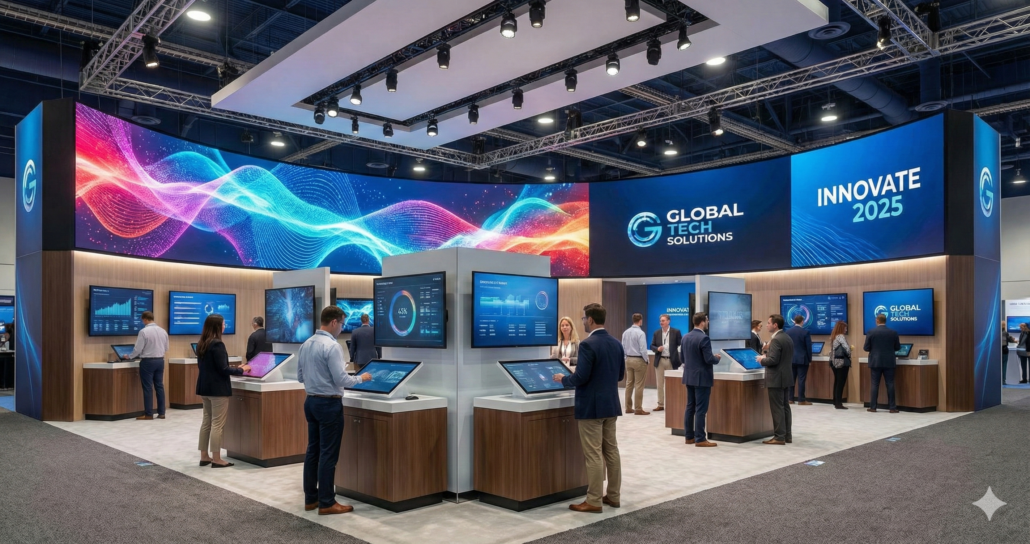
This layout increases visibility from multiple angles — important in Las Vegas where traffic flows in wide aisles.
Use Vertical Orientation for Aisle Visibility
Vertical screens perform exceptionally well on the strip side of LVCC North and Central Hall because aisle visibility is stretched.
Vertical screens are ideal for:
- Digital posters
- Motion typography
- Feature highlights
- QR code captures
Horizontal screens are still best for:
- Software demos
- Product videos
- Training content
Wall Mount vs. Stand Mount
Wall mounts look more premium and save floor space.
Stand mounts offer flexibility but require cable concealment.
In Las Vegas, wall mounting is preferred because it:
- Reduces trip hazards
- Keeps cables hidden
- Survives heavy foot traffic
- Looks cleaner in high-end booths
If you must use stands, use heavy bases with rear cable runs.
Use Multi-Monitor Zones to Control Flow
For 10×20 booths, build zones:
- Zone A: Primary storytelling screen
- Zone B: Demo monitors
- Zone C: Touchscreen engagement
This layout keeps people moving without crowding your space.
Brightness Matters in Las Vegas
Choose commercial 4K monitors with 700–1,000 nit brightness.
Consumer TVs wash out in Vegas convention lighting.
Use HDMI Switchers or Matrix Routing
Las Vegas exhibitors often run:
- Multiple laptops
- Video loops
- Presentation decks
- Camera feeds
Use an HDMI matrix or switcher to avoid cable swapping.
Content Tips for Vegas Shows
- High-contrast visuals perform best.
- Motion graphics draw attention.
- Use 20–30 second loops to maintain rhythm.
FAQs
Q1: Should I use one large monitor or multiple smaller ones?
If visibility is your goal, one large display in the center is strongest. For demos, multiple screens work better.
Q2: Do Vegas shows require special mounting rules?
Most allow wall mounts, but some shows restrict stand placement in high-traffic aisles.
Q3: Can AVR Expos deliver and install directly at LVCC or Mandalay Bay?
Yes. Delivery, setup, and strike are included.